
APC Back-UPS Pro Review
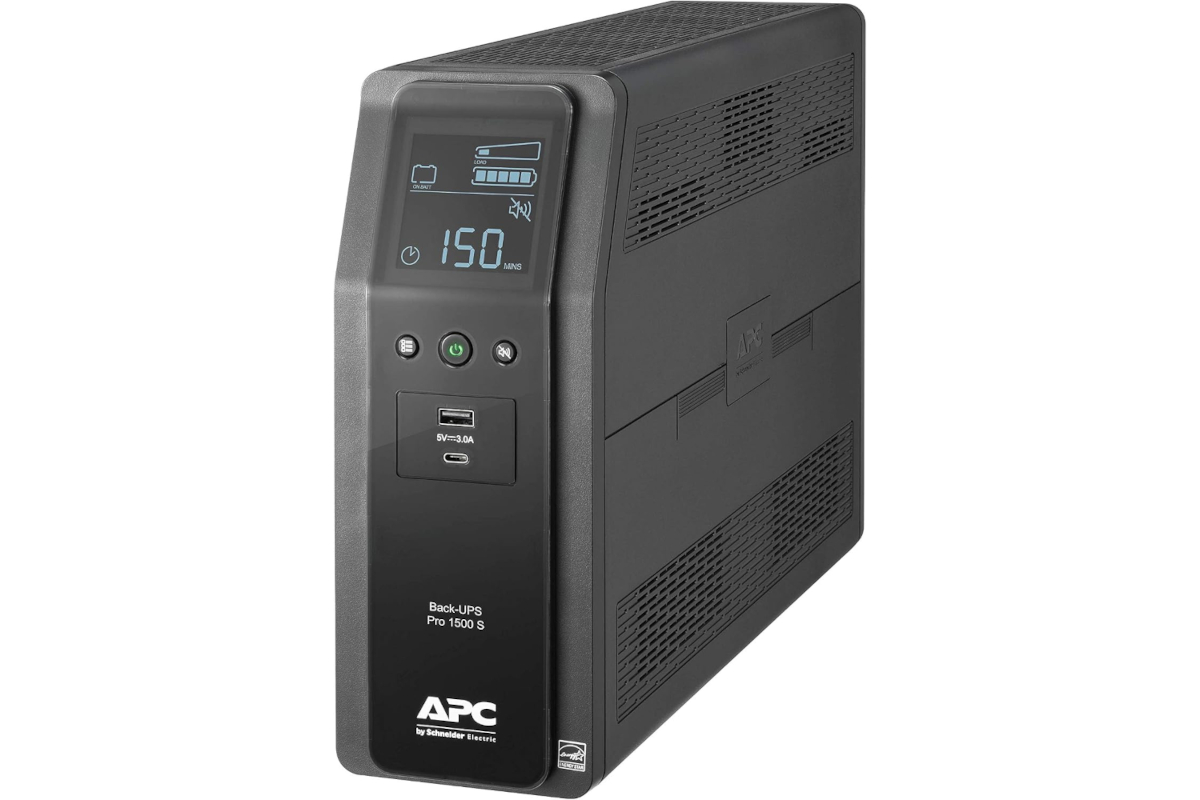
I've had the APC Back-UPS Pro 1500 S for about 2 years now, and I'm extremely happy with the purchase. It's kept my personal workstation and desktop gadgets safe from power voltage strikes, which is my main reason for owning one since we live in what's basically the lightning capital of the world. Our utility power itself is pretty reliable, so surge protection is really the primary job this unit is doing for me, with battery backup as a nice bonus for the occasional outage.
Outlets and how to use them
This unit gives you 10 outlets total. 4 of them are surge protection only, and the other 6 give you both surge protection and battery backup. That split is actually really useful once you think through how to use it. Something like a second or third monitor doesn't necessarily need battery power to keep running during an outage, so you can plug that into a surge only outlet and save your battery capacity for the components that matter most, like your PC itself, which extends how long you can keep working during a storm.
Capacity and runtime
This particular model is rated at 1500VA / 900W. Under about a 100W load, you're looking at a little over an hour of battery runtime, which is more than enough to ride out a short storm as long as you're not overloading the unit beyond what it's rated for. It's also a pure sine wave unit, meaning it filters and delivers clean power to your sensitive equipment rather than a rougher, simulated waveform, which matters more than people realize for modern power supplies and electronics.
Front panel ports and display
The front of the unit has both USB-C and USB-A ports, so you can charge your devices directly without needing a separate power brick plugged into an outlet. That's a small thing, but it comes in handy more often than you'd expect.
The LCD display up front is genuinely useful too. It shows your current load level so you know right away if you're trying to power too much equipment, a numerical runtime estimate so you know how many minutes of battery you have left based on your current draw, and a live battery health report so you're not left guessing whether the battery is still good.
Rear connections
On the back of the unit, you'll also find ports for gigabit ethernet and coax connections. Running your modem or ethernet line through those helps protect your cable modem or network connection from surges too, not just your outlets.
PowerChute software
One feature I really love is the PowerChute software. It comes with a cable where the ethernet style end connects to the UPS and the USB end connects to your computer, and it lets you monitor the UPS in real time from your PC. If the power goes out, you can program it to shut your computer down gracefully after a set amount of time instead of just letting the battery run out and cutting off abruptly. In my case, I know my setup can run about 50 minutes on battery, so I built in a safety buffer and set it to shut my PC down gracefully after 30 minutes without power. That protects against the kind of software and file corruption issues you can run into when a computer loses power the hard way. Windows in particular does not appreciate having the plug pulled on it.
Other things worth knowing
The battery inside is user replaceable, so when it eventually wears down after several years, you're not stuck replacing the whole unit, just the battery itself. It's also on the heavier side at around 30 pounds, so plan on giving it a permanent spot on the floor or a shelf rather than moving it around often. It does have an audible alarm during an outage or fault condition, which is genuinely useful for getting your attention, though worth knowing if you're placing it somewhere like a bedroom.
This unit also carries a 3 year warranty, so if anything does go wrong, you're covered. That said, it likely won't be necessary. Every unit goes through a quality control check at the factory specifically to avoid shipping something dead on arrival.
Why I trust the brand
I've been an APC customer for years, both at home and at work where we run them in our data center, and I genuinely believe in their products. Are they expensive? Yes. Are they worth it? Absolutely. When your job or your work depends on your equipment staying up, a power strike is the last thing you want to be worrying about, and that's exactly what an APC UPS takes off your plate.
The Good
- Pure sine wave output gives sensitive electronics genuinely clean power, not just backup power
- 10 outlets split between surge only and surge plus battery gives you flexibility in how you allocate battery runtime
- USB-C and USB-A charging ports up front mean one less power brick cluttering an outlet
- LCD display gives you load level, runtime, and battery health at a glance
- Gigabit ethernet and coax pass-through protects your network gear too, not just your outlets
- PowerChute software allows for automatic, graceful shutdowns instead of an abrupt power loss
- User replaceable battery extends the life of the unit well beyond the original battery
- 3 year warranty backed by a company with a long track record
The Bad
- Not cheap, this is a real investment rather than an impulse buy
- At around 30 pounds, it's not something you'll want to be moving around frequently
- Audible alarm during outages is useful but worth considering if it'll be placed somewhere you sleep
- 1500VA / 900W is plenty for a workstation setup, but heavier power users may need to size up
Where to buy
The APC Back-UPS Pro 1500 S (BR1500MS2) typically runs around $339.99 at major retailers. If you're serious about protecting your workstation from both surges and outages, especially if you deal with frequent storms like we do, this is one of those purchases that pays for itself the first time it actually saves your equipment.
Outlets and how to use them
This unit gives you 10 outlets total. 4 of them are surge protection only, and the other 6 give you both surge protection and battery backup. That split is actually really useful once you think through how to use it. Something like a second or third monitor doesn't necessarily need battery power to keep running during an outage, so you can plug that into a surge only outlet and save your battery capacity for the components that matter most, like your PC itself, which extends how long you can keep working during a storm.
Capacity and runtime
This particular model is rated at 1500VA / 900W. Under about a 100W load, you're looking at a little over an hour of battery runtime, which is more than enough to ride out a short storm as long as you're not overloading the unit beyond what it's rated for. It's also a pure sine wave unit, meaning it filters and delivers clean power to your sensitive equipment rather than a rougher, simulated waveform, which matters more than people realize for modern power supplies and electronics.
Front panel ports and display
The front of the unit has both USB-C and USB-A ports, so you can charge your devices directly without needing a separate power brick plugged into an outlet. That's a small thing, but it comes in handy more often than you'd expect.
The LCD display up front is genuinely useful too. It shows your current load level so you know right away if you're trying to power too much equipment, a numerical runtime estimate so you know how many minutes of battery you have left based on your current draw, and a live battery health report so you're not left guessing whether the battery is still good.
Rear connections
On the back of the unit, you'll also find ports for gigabit ethernet and coax connections. Running your modem or ethernet line through those helps protect your cable modem or network connection from surges too, not just your outlets.
PowerChute software
One feature I really love is the PowerChute software. It comes with a cable where the ethernet style end connects to the UPS and the USB end connects to your computer, and it lets you monitor the UPS in real time from your PC. If the power goes out, you can program it to shut your computer down gracefully after a set amount of time instead of just letting the battery run out and cutting off abruptly. In my case, I know my setup can run about 50 minutes on battery, so I built in a safety buffer and set it to shut my PC down gracefully after 30 minutes without power. That protects against the kind of software and file corruption issues you can run into when a computer loses power the hard way. Windows in particular does not appreciate having the plug pulled on it.
Other things worth knowing
The battery inside is user replaceable, so when it eventually wears down after several years, you're not stuck replacing the whole unit, just the battery itself. It's also on the heavier side at around 30 pounds, so plan on giving it a permanent spot on the floor or a shelf rather than moving it around often. It does have an audible alarm during an outage or fault condition, which is genuinely useful for getting your attention, though worth knowing if you're placing it somewhere like a bedroom.
This unit also carries a 3 year warranty, so if anything does go wrong, you're covered. That said, it likely won't be necessary. Every unit goes through a quality control check at the factory specifically to avoid shipping something dead on arrival.
Why I trust the brand
I've been an APC customer for years, both at home and at work where we run them in our data center, and I genuinely believe in their products. Are they expensive? Yes. Are they worth it? Absolutely. When your job or your work depends on your equipment staying up, a power strike is the last thing you want to be worrying about, and that's exactly what an APC UPS takes off your plate.
The Good
- Pure sine wave output gives sensitive electronics genuinely clean power, not just backup power
- 10 outlets split between surge only and surge plus battery gives you flexibility in how you allocate battery runtime
- USB-C and USB-A charging ports up front mean one less power brick cluttering an outlet
- LCD display gives you load level, runtime, and battery health at a glance
- Gigabit ethernet and coax pass-through protects your network gear too, not just your outlets
- PowerChute software allows for automatic, graceful shutdowns instead of an abrupt power loss
- User replaceable battery extends the life of the unit well beyond the original battery
- 3 year warranty backed by a company with a long track record
The Bad
- Not cheap, this is a real investment rather than an impulse buy
- At around 30 pounds, it's not something you'll want to be moving around frequently
- Audible alarm during outages is useful but worth considering if it'll be placed somewhere you sleep
- 1500VA / 900W is plenty for a workstation setup, but heavier power users may need to size up
Where to buy
The APC Back-UPS Pro 1500 S (BR1500MS2) typically runs around $339.99 at major retailers. If you're serious about protecting your workstation from both surges and outages, especially if you deal with frequent storms like we do, this is one of those purchases that pays for itself the first time it actually saves your equipment.


Posted In: Technology
TERRO Ant Bait Stations: Goodbye Ants!
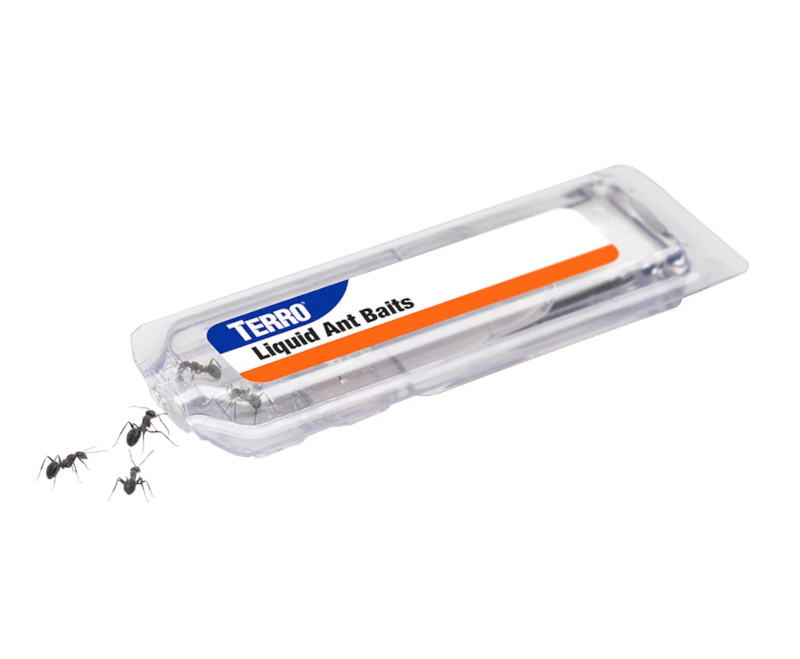
I've been using TERRO Liquid Ant Killer Bait Stations for a few years now, and I can honestly say they're great. Before these came along, I used the version that came as a small bottle of liquid you'd place on a little cardboard target included with the product. That liquid worked fine, but I was always a little nervous about my dog or kids accidentally getting into it since it was just sitting out in the open.
Why the bait stations are the better version
The bait stations solve that problem by sealing the liquid inside a small plastic housing. Ants can still get in and reach the bait, but there's no exposed liquid sitting around the house for a curious kid or pet to touch. It's a simple design change, but it made a real difference in how comfortable I feel placing these around the house instead of tucking the old open bottles somewhere out of reach.
How it actually works
In my experience, it takes a few days before you start seeing results, and that's normal, not a sign it isn't working. Once the ants find the bait, it's basically game over for the colony. They form a trail to the station and start carrying the liquid back to the nest to share with the rest of the colony. After a few days of that, you'll notice the ants visibly thinning out until there's barely any activity left at all.
What it costs
These typically run somewhere around $7 to $9 for a 6-pack depending on where you buy them, which makes them an easy, low-cost thing to keep on hand. It's not a big investment for something that actually solves an ant problem instead of just knocking down the ants you can see.
The Good
- Sealed bait stations keep the liquid away from curious kids and pets, unlike the old open bottle and cardboard target setup
- Genuinely eliminates the colony instead of just killing the ants you can see
- Easy to place almost anywhere ants are showing up, no setup involved
- Inexpensive for how effective it is
- Long shelf life, so it's easy to just keep a few on hand for whenever ants show up
The Bad
- Takes a few days to see results, so it's not an instant fix if you want ants gone immediately
- You'll often see more ants at first as they discover the bait, which can be alarming if you don't know that's expected
- Not much you can do to speed up the process once the stations are placed, it just takes the time it takes
If you're dealing with ants and want something that actually clears out the colony rather than just the ants on your counter, TERRO Liquid Ant Killer Bait Stations are worth keeping in the house.
Why the bait stations are the better version
The bait stations solve that problem by sealing the liquid inside a small plastic housing. Ants can still get in and reach the bait, but there's no exposed liquid sitting around the house for a curious kid or pet to touch. It's a simple design change, but it made a real difference in how comfortable I feel placing these around the house instead of tucking the old open bottles somewhere out of reach.
How it actually works
In my experience, it takes a few days before you start seeing results, and that's normal, not a sign it isn't working. Once the ants find the bait, it's basically game over for the colony. They form a trail to the station and start carrying the liquid back to the nest to share with the rest of the colony. After a few days of that, you'll notice the ants visibly thinning out until there's barely any activity left at all.
What it costs
These typically run somewhere around $7 to $9 for a 6-pack depending on where you buy them, which makes them an easy, low-cost thing to keep on hand. It's not a big investment for something that actually solves an ant problem instead of just knocking down the ants you can see.
The Good
- Sealed bait stations keep the liquid away from curious kids and pets, unlike the old open bottle and cardboard target setup
- Genuinely eliminates the colony instead of just killing the ants you can see
- Easy to place almost anywhere ants are showing up, no setup involved
- Inexpensive for how effective it is
- Long shelf life, so it's easy to just keep a few on hand for whenever ants show up
The Bad
- Takes a few days to see results, so it's not an instant fix if you want ants gone immediately
- You'll often see more ants at first as they discover the bait, which can be alarming if you don't know that's expected
- Not much you can do to speed up the process once the stations are placed, it just takes the time it takes
If you're dealing with ants and want something that actually clears out the colony rather than just the ants on your counter, TERRO Liquid Ant Killer Bait Stations are worth keeping in the house.

Posted In: Reviews
Owala FreeSip Review: Still Cold, Still Full, Still Obsessed

I really love the Owala FreeSip Stainless Steel Water Bottle in the 40oz size, Very Very Dark. I mostly carry it to work and on exercise walks, and it keeps my drink cold all day long. No trips back to the fridge every few hours. The 40oz size is enough to get me through most of the day, and since I'm partial to water only when it's cold, having it stay that way the whole time actually gets me drinking more of it and staying hydrated.
How the whole family ended up with one
Our daughter was actually the first one in the house to get an Owala, she picked up the 24oz in the Candy Store color. About a year in, hers stopped keeping drinks cold for some reason. We reached out to Owala, ran a few tests they walked us through, and they confirmed the bottle was faulty and gave us a credit toward a new one. Seeing how they actually stood behind their product sold us on the brand, so when the new school year came around we picked up an Owala for everyone in the family. Everyone else went with the standard size. I'm the only one who opted for the 40oz, and every single bottle gets used daily.
Styles, colors, and the limited runs
Owala puts out a wide range of styles and colors, and if you follow them through their website, they run limited edition drops from time to time. We've seen some glow-in-the-dark releases that we're honestly tempted to grab just for fun.
Our favorite feature
The FreeSip spout is what sold us, you can sip through the built-in straw right where you drink, or tip it back and swig from the wide opening, whichever fits the moment. The bottle is genuinely easy to clean, which isn't a given with insulated bottles. Some of them are a real chore to keep fresh. The spout opening is large enough that you can dump in a handful of ice without it taking forever, and that same wide opening makes cleaning easier too. There's also a carry loop that folds flat into the lid when it's not in use, so it doesn't stick out and catch on anything, and it doubles as a lock so the button doesn't get bumped open by accident in a bag.
Is it worth the price
At $39.99 for the 40oz, it's not the cheapest water bottle out there, but it's not overpriced either given how well it actually works. Between the insulation, the build quality, and how Owala backs the product when something does go wrong, it's held up as a fair trade for what you get.
The Good
- Keeps drinks cold all day, which genuinely gets you drinking more water
- FreeSip spout lets you sip through the straw or swig from the wide opening depending on what you're in the mood for
- Wide mouth opening makes it easy to load up on ice and easy to clean
- Carry loop tucks away flat and doubles as a lock so the button doesn't get bumped open by accident
- Owala's warranty support came through without any hassle when our daughter's bottle failed
- Wide range of colors and styles, plus limited edition drops if you follow along
- Although we didn't customize our families, they offer text, art, or upload your own graphics as shown above
The Bad
- $39.99 for the 40oz is a real purchase, not an impulse buy, especially if you're outfitting the whole family
- The larger 40oz size is great for all-day use but isn't going to fit in every cup holder
- Limited edition colors sell out fast if you're chasing a specific style
- You may end up wanting more than one once everyone in the house sees how well it works
Grab one for yourself here: Owala FreeSip Stainless Steel Water Bottle
How the whole family ended up with one
Our daughter was actually the first one in the house to get an Owala, she picked up the 24oz in the Candy Store color. About a year in, hers stopped keeping drinks cold for some reason. We reached out to Owala, ran a few tests they walked us through, and they confirmed the bottle was faulty and gave us a credit toward a new one. Seeing how they actually stood behind their product sold us on the brand, so when the new school year came around we picked up an Owala for everyone in the family. Everyone else went with the standard size. I'm the only one who opted for the 40oz, and every single bottle gets used daily.
Styles, colors, and the limited runs
Owala puts out a wide range of styles and colors, and if you follow them through their website, they run limited edition drops from time to time. We've seen some glow-in-the-dark releases that we're honestly tempted to grab just for fun.
Our favorite feature
The FreeSip spout is what sold us, you can sip through the built-in straw right where you drink, or tip it back and swig from the wide opening, whichever fits the moment. The bottle is genuinely easy to clean, which isn't a given with insulated bottles. Some of them are a real chore to keep fresh. The spout opening is large enough that you can dump in a handful of ice without it taking forever, and that same wide opening makes cleaning easier too. There's also a carry loop that folds flat into the lid when it's not in use, so it doesn't stick out and catch on anything, and it doubles as a lock so the button doesn't get bumped open by accident in a bag.
Is it worth the price
At $39.99 for the 40oz, it's not the cheapest water bottle out there, but it's not overpriced either given how well it actually works. Between the insulation, the build quality, and how Owala backs the product when something does go wrong, it's held up as a fair trade for what you get.
The Good
- Keeps drinks cold all day, which genuinely gets you drinking more water
- FreeSip spout lets you sip through the straw or swig from the wide opening depending on what you're in the mood for
- Wide mouth opening makes it easy to load up on ice and easy to clean
- Carry loop tucks away flat and doubles as a lock so the button doesn't get bumped open by accident
- Owala's warranty support came through without any hassle when our daughter's bottle failed
- Wide range of colors and styles, plus limited edition drops if you follow along
- Although we didn't customize our families, they offer text, art, or upload your own graphics as shown above
The Bad
- $39.99 for the 40oz is a real purchase, not an impulse buy, especially if you're outfitting the whole family
- The larger 40oz size is great for all-day use but isn't going to fit in every cup holder
- Limited edition colors sell out fast if you're chasing a specific style
- You may end up wanting more than one once everyone in the house sees how well it works
Grab one for yourself here: Owala FreeSip Stainless Steel Water Bottle

Posted In: Reviews
The Spoon-Eating, Universe-Winning Mixer
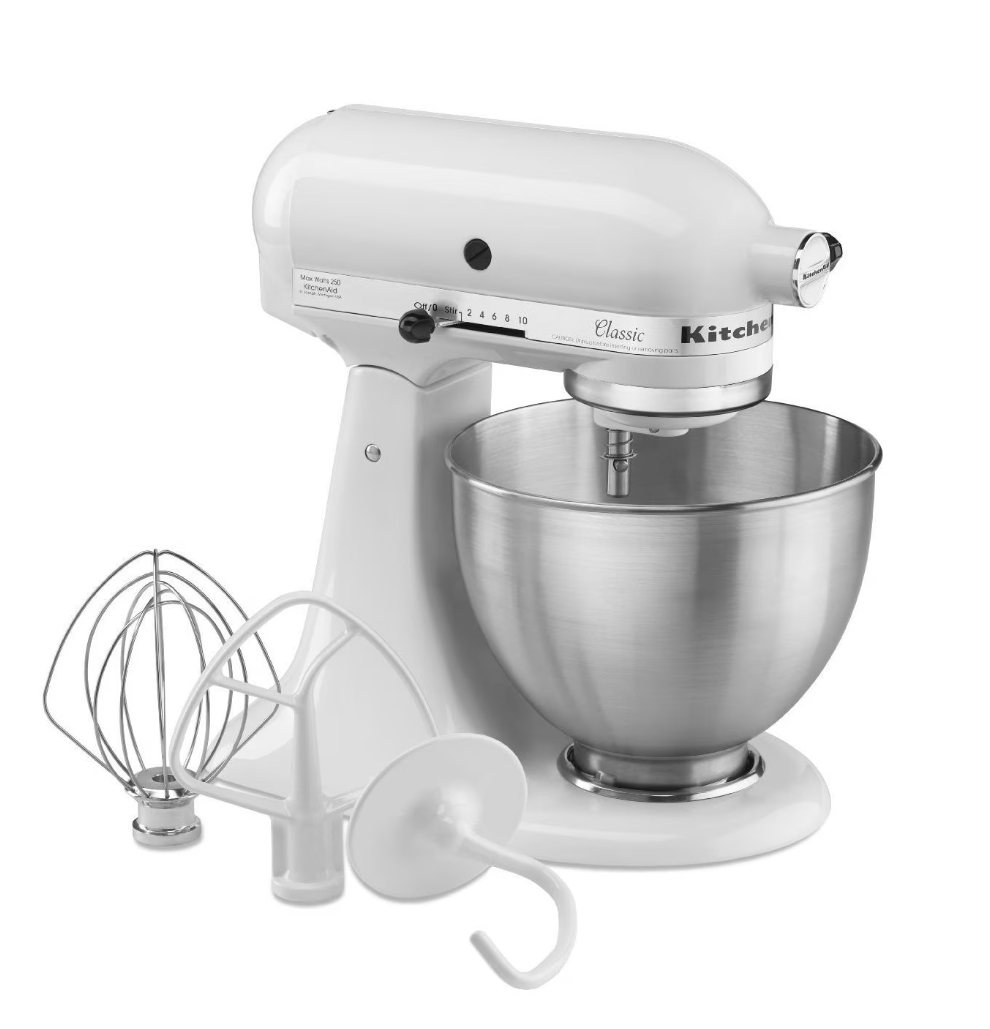
If you've ever mixed bread dough by hand and questioned every life choice that led you to that moment, the KitchenAid Classic Series 4.5 Quart Tilt-Head Stand Mixer (K45SS) is the machine that fixes that. We picked ours up in white, and it's been in constant rotation in our kitchen ever since. We use it for bread dough, cookies, you name it and it mixes it. This thing is a legitimate game changer compared to doing it by hand, and after using it for a while, I've got some real thoughts on it.
Build and power
The K45SS is all metal construction, no plastic gearbox pretending to be durable. It's a tilt-head design, so you lift the head up and out of the way to swap bowls or scrape down the sides, rather than fighting a bowl-lift mechanism. It comes with 10 speeds and what KitchenAid calls 59 touchpoints of contact between the beater and the bowl, which sounds like marketing until you actually watch it work through a stiff dough and realize nothing gets left unmixed.
Respect the machine
I want to be upfront about something: this mixer is genuinely powerful, and it deserves to be treated that way. We left a spoon in the bowl by mistake once while it was running, and by the time we caught it and shut the mixer off, that spoon looked like a twisted pretzel. That's not a knock against it, if anything it's the best demonstration of just how much torque this thing is putting down. Keep your hands, utensils, and anything you're not intentionally mixing well clear of the bowl while it's running.
What we actually use it for
Bread dough is where this mixer really earns its keep for us. Kneading dough by hand takes real time and effort, and the K45SS just plows through it on a low-medium speed without breaking a sweat. Cookie dough is the other regular use. We also use it for creaming butter and sugar, folding in mix-ins, all of it comes together faster and more evenly than doing it by hand ever did.
The attachment hub opens things up
Because the K45SS uses KitchenAid's standard attachment hub, it's compatible with the whole lineup of KitchenAid attachments, which is honestly where this mixer goes from "nice tool" to "kitchen workhorse." We ended up adding the KitchenAid KSMVSA Fresh Prep Slicer and Shredder Attachment, and it's become one of the most-used tools in our kitchen. It comes with three blades for slicing and shredding, a 2-in-1 feed tube so you're not constantly stopping to reload, and a storage case to keep the blades organized, plus it's dishwasher-safe for easy cleanup. We mostly use it to shred cheese on lasagna nights, pizza nights, and salads all get a lot faster once you're not standing there with a box grater and sore knuckles. Once you have the mixer, the shredder attachment is an easy add if you're doing any real volume of cheese or vegetable prep.
Straight from the person who actually uses it most
My daughter is the one who reaches for this mixer more than anyone else in the house, so I asked her for her honest take. Here's what she had to say: "The KitchenAid is honestly my favorite thing in the entire universe. I don't think there's any tool that's more useful. It can grate cheese, mash potatoes, mix batter, and so much more. I really think everybody should have a KitchenAid because it's so useful and so worth the purchase. Baking would be so hard without it. I don't know how I even did it before."
The Good
- All-metal construction that feels built to last, not a plastic-gear appliance in disguise
- 10 speeds and 59 touchpoints handle everything from whipped cream to stiff bread dough without straining
- Tilt-head design makes swapping bowls and scraping down easy
- Compatible with the full range of KitchenAid attachments, including the KSMVSA slicer/shredder we use constantly
- Genuinely replaces hand-mixing for bread dough and cookies and makes it faster, more even, and takes less effort
- $399.99 retail is a real investment, but it's the kind of appliance you buy once and keep for years
The Bad
- It's heavy and takes up permanent counter space, this isn't something you're pulling out of a cabinet each time
- The power is no joke, and it will happily mangle anything left in the bowl by accident, so you have to stay attentive while it's running
- 4.5 quarts is plenty for most home baking, but if you're regularly doing large batches or big bread recipes, you may find yourself wanting the bigger bowl capacity of KitchenAid's larger models
- The KSMVSA shredder attachment is an added cost on top of the mixer itself, so budget for it separately if you want that capability
Who should get this
If you bake bread, cookies, or cakes regularly and you're tired of doing it by hand or working with an underpowered hand mixer, the K45SS is worth the $399.99. Add the KSMVSA Fresh Prep Slicer and Shredder at $69.99 if you go through a lot of shredded cheese or sliced vegetables in your cooking, between lasagna, pizza, and salads, ours gets used constantly. Just respect what the mixer can do, keep an eye on the bowl while it's running, and it'll earn its counter space fast.
Get yours here KitchenAid Classic Series 4.5 Quart Tilt-Head Stand Mixer (K45SS) and if you are interested in the attachment get it here KitchenAid KSMVSA Fresh Prep Slicer and Shredder.
Build and power
The K45SS is all metal construction, no plastic gearbox pretending to be durable. It's a tilt-head design, so you lift the head up and out of the way to swap bowls or scrape down the sides, rather than fighting a bowl-lift mechanism. It comes with 10 speeds and what KitchenAid calls 59 touchpoints of contact between the beater and the bowl, which sounds like marketing until you actually watch it work through a stiff dough and realize nothing gets left unmixed.
Respect the machine
I want to be upfront about something: this mixer is genuinely powerful, and it deserves to be treated that way. We left a spoon in the bowl by mistake once while it was running, and by the time we caught it and shut the mixer off, that spoon looked like a twisted pretzel. That's not a knock against it, if anything it's the best demonstration of just how much torque this thing is putting down. Keep your hands, utensils, and anything you're not intentionally mixing well clear of the bowl while it's running.
What we actually use it for
Bread dough is where this mixer really earns its keep for us. Kneading dough by hand takes real time and effort, and the K45SS just plows through it on a low-medium speed without breaking a sweat. Cookie dough is the other regular use. We also use it for creaming butter and sugar, folding in mix-ins, all of it comes together faster and more evenly than doing it by hand ever did.
The attachment hub opens things up
Because the K45SS uses KitchenAid's standard attachment hub, it's compatible with the whole lineup of KitchenAid attachments, which is honestly where this mixer goes from "nice tool" to "kitchen workhorse." We ended up adding the KitchenAid KSMVSA Fresh Prep Slicer and Shredder Attachment, and it's become one of the most-used tools in our kitchen. It comes with three blades for slicing and shredding, a 2-in-1 feed tube so you're not constantly stopping to reload, and a storage case to keep the blades organized, plus it's dishwasher-safe for easy cleanup. We mostly use it to shred cheese on lasagna nights, pizza nights, and salads all get a lot faster once you're not standing there with a box grater and sore knuckles. Once you have the mixer, the shredder attachment is an easy add if you're doing any real volume of cheese or vegetable prep.
Straight from the person who actually uses it most
My daughter is the one who reaches for this mixer more than anyone else in the house, so I asked her for her honest take. Here's what she had to say: "The KitchenAid is honestly my favorite thing in the entire universe. I don't think there's any tool that's more useful. It can grate cheese, mash potatoes, mix batter, and so much more. I really think everybody should have a KitchenAid because it's so useful and so worth the purchase. Baking would be so hard without it. I don't know how I even did it before."
The Good
- All-metal construction that feels built to last, not a plastic-gear appliance in disguise
- 10 speeds and 59 touchpoints handle everything from whipped cream to stiff bread dough without straining
- Tilt-head design makes swapping bowls and scraping down easy
- Compatible with the full range of KitchenAid attachments, including the KSMVSA slicer/shredder we use constantly
- Genuinely replaces hand-mixing for bread dough and cookies and makes it faster, more even, and takes less effort
- $399.99 retail is a real investment, but it's the kind of appliance you buy once and keep for years
The Bad
- It's heavy and takes up permanent counter space, this isn't something you're pulling out of a cabinet each time
- The power is no joke, and it will happily mangle anything left in the bowl by accident, so you have to stay attentive while it's running
- 4.5 quarts is plenty for most home baking, but if you're regularly doing large batches or big bread recipes, you may find yourself wanting the bigger bowl capacity of KitchenAid's larger models
- The KSMVSA shredder attachment is an added cost on top of the mixer itself, so budget for it separately if you want that capability
Who should get this
If you bake bread, cookies, or cakes regularly and you're tired of doing it by hand or working with an underpowered hand mixer, the K45SS is worth the $399.99. Add the KSMVSA Fresh Prep Slicer and Shredder at $69.99 if you go through a lot of shredded cheese or sliced vegetables in your cooking, between lasagna, pizza, and salads, ours gets used constantly. Just respect what the mixer can do, keep an eye on the bowl while it's running, and it'll earn its counter space fast.
Get yours here KitchenAid Classic Series 4.5 Quart Tilt-Head Stand Mixer (K45SS) and if you are interested in the attachment get it here KitchenAid KSMVSA Fresh Prep Slicer and Shredder.

Posted In: Reviews
HP Instant Ink: ink that costs less than your coffee habit
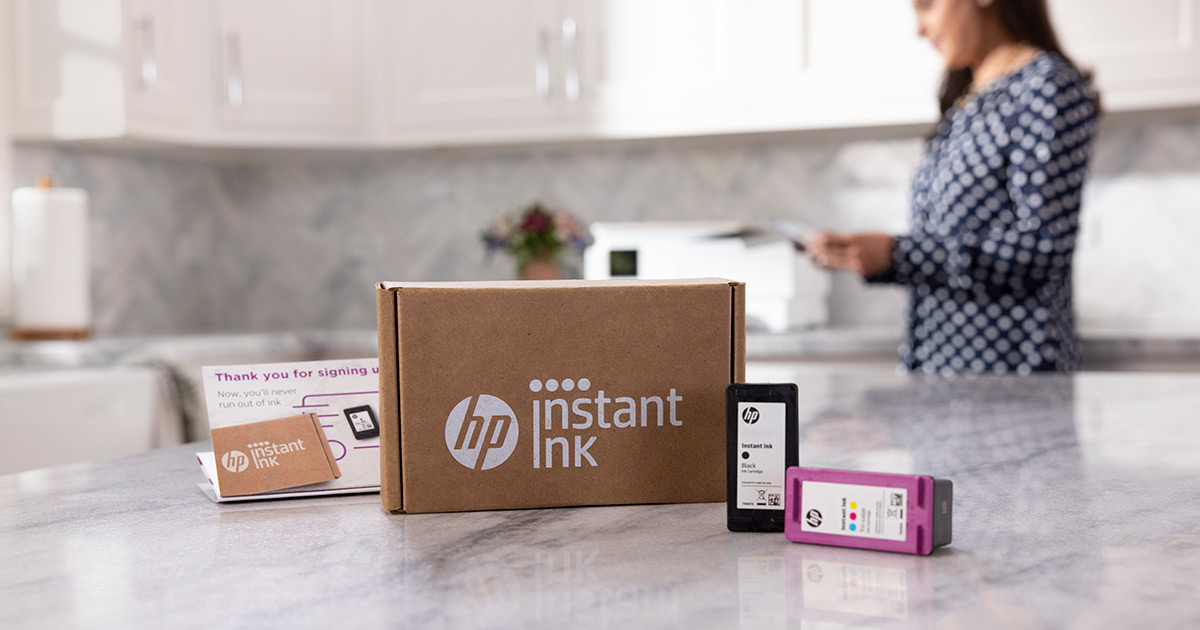
If you've owned an inkjet printer for more than five minutes, you already know the punchline: the printer is cheap, the ink is not. I've been running an HP ENVY 7640 for years now, and I finally got tired of the "oh no, I'm out of cyan again" routine, so I signed up for HP Instant Ink. A few months in, I'm ready to give you the full breakdown of the good, the bad, and yes, a ridiculous price comparison you didn't ask for.
Quick backstory on why I came back
I actually had Instant Ink once before. Used it for a few years, then canceled because I talked myself into believing I could find a better deal buying ink outright at the store. I went to the local office supply store and picked up the HP 62XL/62 Black High Yield & Tri-Color High Yield 2-pack for the ENVY 7640 $129.95. With sales tax and I walked out having paid $139.05 for ink. Regular use around the house, nothing crazy, and those cartridges were tapped out in under a month. That settled the experiment, I signed back up for Instant Ink, and I haven't looked back since.
Here's the part I didn't fully account for when I talked myself into leaving: the Instant Ink cartridges HP ships for my specific printer are at least twice the size of the retail cartridges I was buying at Staples. So on Instant Ink I'm swapping cartridges way less often, which is probably exactly why I convinced myself store-bought ink would save me money in the first place. I wasn't comparing like for like, it turns out I was very wrong.
What I'm actually paying
I landed on the 50-page plan, which runs $5.99/mo. A few things about how the plan works that I didn't fully appreciate until I was using it:
- All pages cost the same whether they're black and white, color, or photos. No surcharge for actually using your color printer like a color printer.
- If I don't use my full 50 pages in a month, up to 150 unused pages roll over, so a slow month isn't wasted.
- If I do blow through my allotment, HP auto-bills me for another set of 10 pages at $2.00 instead of just cutting me off mid-print.
- The printer stays connected over the internet and HP's servers watch my ink levels. When I'm getting low, new cartridges just show up. They don't show up necessarily every month, but only when I actually need them. I have genuinely stopped thinking about ink as a thing I need to shop for.
- When a cartridge is spent, HP recycles it for free through their Planet Partners program, so I'm not tossing plastic cartridges in the trash either. You also have the option to recycle at physical stores like staples which will give you a store credit for each cartridge you recycle.
So instead of $139.05 for a set of XL cartridges that lasted under a month, I'm spending about $6.00 a month for reliable output and zero store runs.
I'm on the Occasional tier (50 pages/mo) ink-only plan, and it's been the right fit for how much I print. But HP offers a few different sizes depending on how much your household or office actually churns through, plus a version that throws paper into the subscription too. Here's the full lineup at the moment of this writing:
Ink only:
- Light: 10 pages/month — $1.99/mo
- Occasional (my plan): 50 pages/month — $5.99/mo
- Moderate: 100 pages/month — $8.49/mo
- Frequent: 300 pages/month — $16.99/mo
- Business: 700 pages/month — $32.99/mo
Ink + paper:
- Light: 10 pages/month — $2.98/mo
- Occasional: 50 pages/month — $8.48/mo
- Moderate: 100 pages/month — $12.98/mo
- Frequent: 300 pages/month — $23.98/mo
- Business: 700 pages/month — $45.98/mo
I went ink-only since I already keep paper around the house and didn't see the point in paying extra to have HP ship it to me. That said, I haven't actually sat down and run the math on whether the paper add-on beats buying a ream at the store. If you're the type who's always scrambling for paper along with ink, it might be worth pricing that out before you rule it out like I did.
Let's talk about how absurd ink pricing actually is
I wanted to see how ink stacks up against something everyone already agrees is expensive: gas. Regular unleaded nearby is running about $3.80 a gallon right now. Printer ink, according to testing by Consumer Reports, runs anywhere from $13 to $95 an ounce depending on the cartridge which works out to as much as $12,000+ a gallon. Do the math and that's enough gas money to fill up your tank more than 2,000 times over. So next time the "low ink" light comes on, just know it's asking you to refill with something a lot pricier per gallon than whatever's at the pump.
So no, "ink costs more than gas" isn't just a grumpy exaggeration on my part, it's not even close. Instant Ink doesn't change the cost of the ink itself, but it does change the math from "buy it by the tiny expensive cartridge" to "pay a flat few bucks a month and let HP worry about it."
The printer itself
My ENVY 7640 has held up well. It's not a new model, and yeah, HP's current lineup probably edges it out a bit on print speed and photo quality, but for everyday documents, school forms, and the occasional photo print, it's done right by me. If Instant Ink is the thing that makes owning an inkjet tolerable, the ENVY 7640 is the thing that made me want to keep it around this long.
Referring friends actually pays off
One thing worth mentioning: I referred a family member to Instant Ink, and HP kicked back a free month of service to both of us once they signed up. There's no cap on how many people you can refer or how many free months you can rack up. If you sign up through my Instant Ink referral link, you'll get set up on the plan and I'll get a free month tacked onto mine, full transparency there, that's exactly what's happening. Once you're in, HP gives you your own referral link too, so you can pass the savings along to whoever you're tired of hearing complain about ink prices.
The Good
- Real savings if you print regularly, I went from $139.05 for a month of ink to about $6.00/mo
- Rollover of up to 150 unused pages means a light month isn't wasted
- Automatic monitoring means I've genuinely stopped thinking about buying ink
- Free cartridge recycling through HP Planet Partners
- Referral program pays out real free months, no cap
The Bad
- You're still locked into HP's ecosystem. If you cancel and pull your printer off Instant Ink, and any cartridges in the tray get locked out
- If you barely print, the flat monthly fee can end up costing more than just buying a cartridge once a year
- Overage pages ($2.00 per 10) can sneak up on you during a busy printing month
- Doesn't fix the underlying issue that HP ink is priced like a luxury good
Instant Ink vs. the new eco-tank / refillable printers
It's worth addressing the elephant in the room: printers like Epson's EcoTank or HP's own Smart Tank lines let you refill bottles of ink for pennies per page, no subscription required. On pure cost-per-page, they win, no contest. But the trade-off shows up in print quality. Cartridge-based inkjets like my ENVY 7640 use thicker, more pigment-dense inks designed for sharper text and richer photo output, especially on glossy or photo paper. Tank printers use thinner, dye-based inks that keep costs down but tend to look a little more washed out on photos and can be more prone to banding on high-detail prints. If print quality is the priority, especially for photos, a cartridge printer on Instant Ink still has an edge. If you mostly print black-and-white text and don't care about that last bit of photo pop, an eco-tank printer will save you more money long-term.
Who should actually get this
- Households or home offices that print regularly and want to stop thinking about ink entirely
- Anyone who's been burned buying $139 XL cartridges that die in a few weeks
- People who care about photo and document print quality and aren't ready to switch to a tank printer
- Not a great fit if you print maybe a page a week, you'll likely spend more than you would just buying a cartridge when you actually need one
Sign up for HP Instant Ink here
Quick backstory on why I came back
I actually had Instant Ink once before. Used it for a few years, then canceled because I talked myself into believing I could find a better deal buying ink outright at the store. I went to the local office supply store and picked up the HP 62XL/62 Black High Yield & Tri-Color High Yield 2-pack for the ENVY 7640 $129.95. With sales tax and I walked out having paid $139.05 for ink. Regular use around the house, nothing crazy, and those cartridges were tapped out in under a month. That settled the experiment, I signed back up for Instant Ink, and I haven't looked back since.
Here's the part I didn't fully account for when I talked myself into leaving: the Instant Ink cartridges HP ships for my specific printer are at least twice the size of the retail cartridges I was buying at Staples. So on Instant Ink I'm swapping cartridges way less often, which is probably exactly why I convinced myself store-bought ink would save me money in the first place. I wasn't comparing like for like, it turns out I was very wrong.
What I'm actually paying
I landed on the 50-page plan, which runs $5.99/mo. A few things about how the plan works that I didn't fully appreciate until I was using it:
- All pages cost the same whether they're black and white, color, or photos. No surcharge for actually using your color printer like a color printer.
- If I don't use my full 50 pages in a month, up to 150 unused pages roll over, so a slow month isn't wasted.
- If I do blow through my allotment, HP auto-bills me for another set of 10 pages at $2.00 instead of just cutting me off mid-print.
- The printer stays connected over the internet and HP's servers watch my ink levels. When I'm getting low, new cartridges just show up. They don't show up necessarily every month, but only when I actually need them. I have genuinely stopped thinking about ink as a thing I need to shop for.
- When a cartridge is spent, HP recycles it for free through their Planet Partners program, so I'm not tossing plastic cartridges in the trash either. You also have the option to recycle at physical stores like staples which will give you a store credit for each cartridge you recycle.
So instead of $139.05 for a set of XL cartridges that lasted under a month, I'm spending about $6.00 a month for reliable output and zero store runs.
I'm on the Occasional tier (50 pages/mo) ink-only plan, and it's been the right fit for how much I print. But HP offers a few different sizes depending on how much your household or office actually churns through, plus a version that throws paper into the subscription too. Here's the full lineup at the moment of this writing:
Ink only:
- Light: 10 pages/month — $1.99/mo
- Occasional (my plan): 50 pages/month — $5.99/mo
- Moderate: 100 pages/month — $8.49/mo
- Frequent: 300 pages/month — $16.99/mo
- Business: 700 pages/month — $32.99/mo
Ink + paper:
- Light: 10 pages/month — $2.98/mo
- Occasional: 50 pages/month — $8.48/mo
- Moderate: 100 pages/month — $12.98/mo
- Frequent: 300 pages/month — $23.98/mo
- Business: 700 pages/month — $45.98/mo
I went ink-only since I already keep paper around the house and didn't see the point in paying extra to have HP ship it to me. That said, I haven't actually sat down and run the math on whether the paper add-on beats buying a ream at the store. If you're the type who's always scrambling for paper along with ink, it might be worth pricing that out before you rule it out like I did.
Let's talk about how absurd ink pricing actually is
I wanted to see how ink stacks up against something everyone already agrees is expensive: gas. Regular unleaded nearby is running about $3.80 a gallon right now. Printer ink, according to testing by Consumer Reports, runs anywhere from $13 to $95 an ounce depending on the cartridge which works out to as much as $12,000+ a gallon. Do the math and that's enough gas money to fill up your tank more than 2,000 times over. So next time the "low ink" light comes on, just know it's asking you to refill with something a lot pricier per gallon than whatever's at the pump.
So no, "ink costs more than gas" isn't just a grumpy exaggeration on my part, it's not even close. Instant Ink doesn't change the cost of the ink itself, but it does change the math from "buy it by the tiny expensive cartridge" to "pay a flat few bucks a month and let HP worry about it."
The printer itself
My ENVY 7640 has held up well. It's not a new model, and yeah, HP's current lineup probably edges it out a bit on print speed and photo quality, but for everyday documents, school forms, and the occasional photo print, it's done right by me. If Instant Ink is the thing that makes owning an inkjet tolerable, the ENVY 7640 is the thing that made me want to keep it around this long.
Referring friends actually pays off
One thing worth mentioning: I referred a family member to Instant Ink, and HP kicked back a free month of service to both of us once they signed up. There's no cap on how many people you can refer or how many free months you can rack up. If you sign up through my Instant Ink referral link, you'll get set up on the plan and I'll get a free month tacked onto mine, full transparency there, that's exactly what's happening. Once you're in, HP gives you your own referral link too, so you can pass the savings along to whoever you're tired of hearing complain about ink prices.
The Good
- Real savings if you print regularly, I went from $139.05 for a month of ink to about $6.00/mo
- Rollover of up to 150 unused pages means a light month isn't wasted
- Automatic monitoring means I've genuinely stopped thinking about buying ink
- Free cartridge recycling through HP Planet Partners
- Referral program pays out real free months, no cap
The Bad
- You're still locked into HP's ecosystem. If you cancel and pull your printer off Instant Ink, and any cartridges in the tray get locked out
- If you barely print, the flat monthly fee can end up costing more than just buying a cartridge once a year
- Overage pages ($2.00 per 10) can sneak up on you during a busy printing month
- Doesn't fix the underlying issue that HP ink is priced like a luxury good
Instant Ink vs. the new eco-tank / refillable printers
It's worth addressing the elephant in the room: printers like Epson's EcoTank or HP's own Smart Tank lines let you refill bottles of ink for pennies per page, no subscription required. On pure cost-per-page, they win, no contest. But the trade-off shows up in print quality. Cartridge-based inkjets like my ENVY 7640 use thicker, more pigment-dense inks designed for sharper text and richer photo output, especially on glossy or photo paper. Tank printers use thinner, dye-based inks that keep costs down but tend to look a little more washed out on photos and can be more prone to banding on high-detail prints. If print quality is the priority, especially for photos, a cartridge printer on Instant Ink still has an edge. If you mostly print black-and-white text and don't care about that last bit of photo pop, an eco-tank printer will save you more money long-term.
Who should actually get this
- Households or home offices that print regularly and want to stop thinking about ink entirely
- Anyone who's been burned buying $139 XL cartridges that die in a few weeks
- People who care about photo and document print quality and aren't ready to switch to a tank printer
- Not a great fit if you print maybe a page a week, you'll likely spend more than you would just buying a cartridge when you actually need one
Sign up for HP Instant Ink here

Posted In: Technology
Wyze Cam
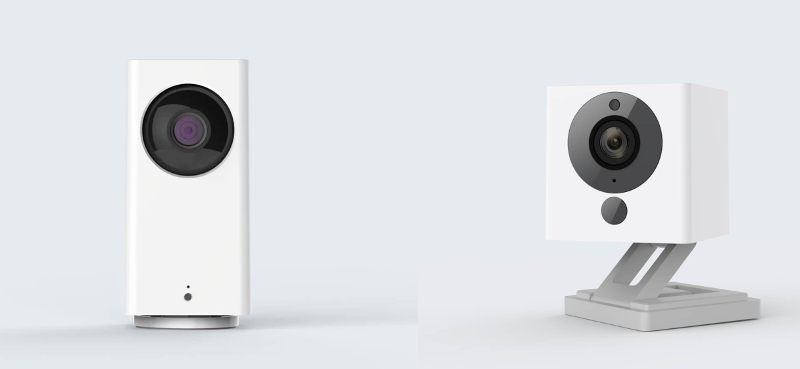
Looking for a quality camera that won't break the bank to secure your home? Then look no further as the Wyze cams may be your solution. The camera works off of a wifi connection so there is no video recorder or other hardware to purchase. Simply download the Wyze App and you are on your way to a delightful experience. It's video streams are encrypted via AES 128-bit encryption so you can feel confident that it will be safe. You have options for recording in HD 1080p, SD 720p, or 360p for your recordings and streaming. The higher the resolution the better quality picture however it will take up more bandwidth on your network. Night Vision is also a standard feature on all Wyze cams as they have a built-in infrared light which allows for taking videos at night. The Cams also work with Alexa, Google Assistant, and IFTTT. In our case, we tried the video feed with an echo show 8 but had a bit of buffering going on. The video on the app was perfect so it might have been an issue with Amazon but we were not able to determine the cause.
The App allows you to manually record a video or take a picture from the Live Stream and saves it directly onto your phone. This is a neat feature that allows you to view, send, or share through the Album in the Wyze app or your phone’s gallery to any of your contacts or from within other applications. The app also allows you to communicate via the camera's two-way audio, it allows you to hear what is going on as well as speak through it to someone on the other side. Via the app, you can also pinch your way through the video or images taking advantage of an 8x Digital Zoom to get closer to the action.
The event recording can be set on schedules, or triggered by detecting Motion and/or Sound. You can choose between all day or a scheduled start and end time with the event recording schedule. Motion is detected by comparing pixels in one frame with another, the Wyze app lets you set the sensitivity of your Wyze Cam. Motion Tagging can be enabled or disabled and will show a green box around anything considered motion. You can even set a detection zone to isolate an area that you may not want to trigger such as a ceiling fan.
A free service is included with the purchase of each Wyze cam that submits a 12-second video to the AWS cloud when the Wyze Cam detects motion or sound. These videos can be viewed for up to 14 days through the Wyze app and are automatically deleted.
Wyze Cams also offers a micro SD card slot to allow for continuous recording or event only recording. The continuous footage will continue recording until space has been exhausted at which point it will overwrite the oldest file and keep recording. Event recordings are smaller files that only record when there is motion but are not limited to 12 seconds.
If you decide to disable the camera for whatever reason, you can do it remotely via the app as it features an On / Off button.
As an added bonus, firmware can also be installed that allows RTSP support giving you the flexibility to add these cameras to your own NVR systems such as Blue Iris, Zoneminder or any off the shelf DVR / NVR solution that allows RTSP streams. You can find the details on the Wyze support page here.. We were able to test video on Zoneminder via the RTSP stream and it works better than expected to allow us to record events locally without going to the web.
If you want to store your complete video footage on the cloud, Wyze also offers that service for $1.49 /month for each Wyze Cam you’d like to enable at the moment.
The Good
- The price can't be beat at $25.00 for Wyze Cam V2 - WYZEC2 or $34.99 for Wyze Cam Pan - WYZECP1
- Loaded with features
- Great picture quality
- Small footprint on the Wyze cam V2, even the PAN version isn't that big, it's about twice as tall as the Cam V2
- RTSP support
- PAN version includes Pan Tilt functionality that works really well
- Multiple colors are available on the Wyze Cam. White, Black (Limited Edition) and Green (Limited Edition)
- Can pay a service to increase footage to longer than 12 seconds on AWS
The Bad
- No Power Over Ethernet (POE) feature
- 12-second video limit on AWS cloud (The Free Stuff)
- Only suggested for indoors (Enclosures exist to allow outdoor use. Check them out on Amazon
- RTSP support is not on the main software track so you will not get any new features. We, however, gave this a try and do not see any features missing
Get your Wyze Cam on Amazon
The App allows you to manually record a video or take a picture from the Live Stream and saves it directly onto your phone. This is a neat feature that allows you to view, send, or share through the Album in the Wyze app or your phone’s gallery to any of your contacts or from within other applications. The app also allows you to communicate via the camera's two-way audio, it allows you to hear what is going on as well as speak through it to someone on the other side. Via the app, you can also pinch your way through the video or images taking advantage of an 8x Digital Zoom to get closer to the action.
The event recording can be set on schedules, or triggered by detecting Motion and/or Sound. You can choose between all day or a scheduled start and end time with the event recording schedule. Motion is detected by comparing pixels in one frame with another, the Wyze app lets you set the sensitivity of your Wyze Cam. Motion Tagging can be enabled or disabled and will show a green box around anything considered motion. You can even set a detection zone to isolate an area that you may not want to trigger such as a ceiling fan.
A free service is included with the purchase of each Wyze cam that submits a 12-second video to the AWS cloud when the Wyze Cam detects motion or sound. These videos can be viewed for up to 14 days through the Wyze app and are automatically deleted.
Wyze Cams also offers a micro SD card slot to allow for continuous recording or event only recording. The continuous footage will continue recording until space has been exhausted at which point it will overwrite the oldest file and keep recording. Event recordings are smaller files that only record when there is motion but are not limited to 12 seconds.
If you decide to disable the camera for whatever reason, you can do it remotely via the app as it features an On / Off button.
As an added bonus, firmware can also be installed that allows RTSP support giving you the flexibility to add these cameras to your own NVR systems such as Blue Iris, Zoneminder or any off the shelf DVR / NVR solution that allows RTSP streams. You can find the details on the Wyze support page here.. We were able to test video on Zoneminder via the RTSP stream and it works better than expected to allow us to record events locally without going to the web.
If you want to store your complete video footage on the cloud, Wyze also offers that service for $1.49 /month for each Wyze Cam you’d like to enable at the moment.
The Good
- The price can't be beat at $25.00 for Wyze Cam V2 - WYZEC2 or $34.99 for Wyze Cam Pan - WYZECP1
- Loaded with features
- Great picture quality
- Small footprint on the Wyze cam V2, even the PAN version isn't that big, it's about twice as tall as the Cam V2
- RTSP support
- PAN version includes Pan Tilt functionality that works really well
- Multiple colors are available on the Wyze Cam. White, Black (Limited Edition) and Green (Limited Edition)
- Can pay a service to increase footage to longer than 12 seconds on AWS
The Bad
- No Power Over Ethernet (POE) feature
- 12-second video limit on AWS cloud (The Free Stuff)
- Only suggested for indoors (Enclosures exist to allow outdoor use. Check them out on Amazon
- RTSP support is not on the main software track so you will not get any new features. We, however, gave this a try and do not see any features missing
Get your Wyze Cam on Amazon

Posted In: Technology
Zooz ZEN20 Z-Wave Power Strip Ver 2.0 Review
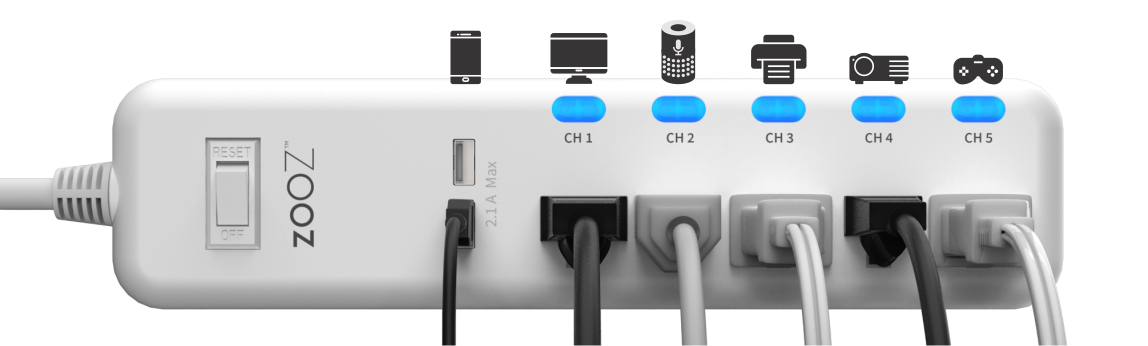
The ZEN20 Ver 2.0 Zwave Power Strip offers 5 Z-Wave controlled outlets on one strip along with two USB ports. The two USB ports offer 2.1 Amps split between both ports, the USB ports are not Z-Wave enabled but will provide status, and you do have the option of using them to set up charged or standby charging notifications. The power cord on the unit is 2 feet long similar to standard power strips. It has a high-quality build and comes packaged well in a nice fancy box that is similar to high-end cell phone packaging. The Power strip features buttons on each of the outlets that double as blue status indicators when the outlets are on. The manual control of the buttons has a low tick sound to it similar to depressing a key on a keyboard. It is important to note that it is not a surge suppressor, but it does have overload protection. The Power Strip will automatically shut off if the total power draw exceeds 1800 Watts. You can lower the limit any time you wish via your z-wave hub advanced setting configuration.
The ZEN20 works with Fibaro, HomeSeer, Hubitat, SmartThings Hub, Vera, Wink and Wink 2 but the Wink 2 has no Energy Monitoring. You should verify your specific hub works on the Zooz website prior to ordering to make sure your specific hub works. We just tested and confirmed that it also works with OpenHab when using the latest Openhab snapshot binding and that is what we used for our testing. Note that Zooz mentions it does not work with Vivint, ADT, or 2GIG hubs.
The Powerstrip allows for wall or under desk mounting and has a flat plug that allows it to fit easily behind furniture. The plug is also angled and the idea is if you had two power strips, you would be able to put them both on a standard outlet. The Unit is ETL Listed which is basically the same as the UL (Underwriters Laboratories) Listed. ETL actually uses the same standards but many manufacturers go with ETL because they are quicker at approving devices so that they can get to production quicker.
The pairing process was relatively simple, you simply press the button on the channel 1 outlet 3 times and the device goes into pairing mode. Quickly put your hub in inclusion mode and within a few seconds, your device is added to your hub. Upon pairing, we found a switch for each channel added to our hub, the main switch that controls all the channels, two switches to indicate status on the USB ports, and a meter reset switch to match each of the outlet switches is also provided. For telemetry, we see the Watts and kWh readings on each outlet. We were somewhat bummed out that you only get kWh and wattage but No amperage or voltage like the Zooz ZEN25 double plug that we reviewed previously had. Even without load, the device runs warm to the touch however it is nothing to be scared about. It has a built-in signal repeater to strengthen your Z-Wave network and features the latest 500 series chip for faster, more reliable connectivity with the new S2 security protocol.
The device by default will remember status upon power failure and return to the last status when the power comes back on. Advanced features allow you to modify this setting to default the unit to turn on all outlets after a power failure, or Off if you would like. The advanced features also allow for disabling of the buttons so that devices aren't enabled or disabled by mistake, at this point, it will require control via your hub.
It is important to know that the power strip has a limit of 15 amps max. This is the size of a typical house electrical breaker for outlets in the US so we feel this is adequate and not something to worry about. Connecting heavy duty equipment to this Power Strip will damage it and may cause the connected appliance to malfunction so if you are unsure contact Zooz, they have great support for their devices and answer questions within 24 hours from our experience. Zooz recommends that the device not be used by washers, dryers, refrigerators, electric heaters, fans, pumps, chargers, or routers. We easily understood the devices with heating elements as they draw lots of power and similarly electric motors but we were somewhat confused about routers. After contacting Zooz, they stated that just like cell phone chargers, these devices are impulse loads that don't draw power evenly. They discourage chargers because they may not be pulling enough to power the electronics in the devices; depending on the device, it may be pulling too much at times which will cause the unit to overload. This is the main reason that they included the USB port option on both the ZEN25 and ZEN20.
Our experience with the power strip has been a positive one. The device works as described and does so without incident. As noted earlier inclusion was a sinch. Operating the device is no different from any other z-wave device. We believe this is a great device for things like Christmas trees where you will need lots of outlets and individual control. It will also work well for home theater equipment where lots of outlets are required. The build on the ZEN20 is great, it feels very sturdy and has a shiny white finish. We would have liked the outlets to be offset a little more from each other to allow for larger plugs.
To further customize your power strip, Zooz offers the following Advanced features
Power Recovery after a power failure, Turn On, Turn Off, Remember ( Default) Power Wattage Reporting Threshold. (By default its set to 5 so it will report anything above 5 Watts) Power Wattage Report Frequency (By default the strip will report status every 30 seconds) Energy kWh report frequency (By default the strip will report status every 300 seconds or 5 minutes) Overload Protection for wattage across all 5 outlets ( Device will trip after sensing 1800 watts by default) Auto Turn-Off TImer (Disabled by default for each outlet individually) Auto Turn-On TImer (Disabled by default for each outlet individually) Manual Control (Enabled By default) LED Indicator Mode (default) on when an outlet is on, on when an outlet is off, off all the time
The device currently retails for $98.95 but seems to be much less than that most of the time. Currently, The Smartest House has it on sale for $66.95 which is a fair price considering a single socket adapter could cost you close to that much.
The Manual can be found here Zooz Z-Wave Plus Power Strip ZEN20 VER. 2.0 Manual (PDF)
Specifications
Z-Wave Signal Frequency: 908.42 MHz Power: 110V Maximum Load: 15Amps TOTAL between 5 outlets USB Charging Port Power: 5V up to 2.1 A Cord: 2.5' Range: Up to 100 feet (30m) line of sight Installation and Use: Indoor Only Operating Temperature: 32-104° F (0-40° C) Dimensions: 11" x 2.5" x 1" Weight: 13oz
Don't Use with
Washers Dryers Refrigerators Electric heaters Fans Pumps Chargers (impulse loads with an uneven power draw that may damage the device over time) Routers
Use With
Floor Lamps TV’s and video equipment Computers Game Consoles Alarm Clocks Printers Speakers Audio Players
The Good
Price Point Status on USB ports Angled plug Footprint not larger than a standard power strip Buttons on each outlet for manual control with status lights Use of the latest Z-Wave chip and the new S2 security protocol
The Bad
Bulky plugs can take up space that overlaps with other outlets. limited capability on impulse loads devices. Hard for a user to determine if what they are plugging in is an impulse load. Warm to touch even with no load. No control of USB Ports No amperage or Voltage reporting
What we would like to see in future
Surge suppression to protect expensive equipment from a power surge.
Get your very own Zooz ZEN20 at The Smartest House. or on Amazon.
For Openhab, you can find the latest snapshot binding here
https://ci.openhab.org/job/openHAB2-Bundles/org.openhab.binding%24org.openhab.binding.zwave/ws/target/org.openhab.binding.zwave-2.5.0-SNAPSHOT.jar. Note that you should be running Milestone Builds or the latest OH2 Snapshot to get this device working.
The ZEN20 works with Fibaro, HomeSeer, Hubitat, SmartThings Hub, Vera, Wink and Wink 2 but the Wink 2 has no Energy Monitoring. You should verify your specific hub works on the Zooz website prior to ordering to make sure your specific hub works. We just tested and confirmed that it also works with OpenHab when using the latest Openhab snapshot binding and that is what we used for our testing. Note that Zooz mentions it does not work with Vivint, ADT, or 2GIG hubs.
The Powerstrip allows for wall or under desk mounting and has a flat plug that allows it to fit easily behind furniture. The plug is also angled and the idea is if you had two power strips, you would be able to put them both on a standard outlet. The Unit is ETL Listed which is basically the same as the UL (Underwriters Laboratories) Listed. ETL actually uses the same standards but many manufacturers go with ETL because they are quicker at approving devices so that they can get to production quicker.
The pairing process was relatively simple, you simply press the button on the channel 1 outlet 3 times and the device goes into pairing mode. Quickly put your hub in inclusion mode and within a few seconds, your device is added to your hub. Upon pairing, we found a switch for each channel added to our hub, the main switch that controls all the channels, two switches to indicate status on the USB ports, and a meter reset switch to match each of the outlet switches is also provided. For telemetry, we see the Watts and kWh readings on each outlet. We were somewhat bummed out that you only get kWh and wattage but No amperage or voltage like the Zooz ZEN25 double plug that we reviewed previously had. Even without load, the device runs warm to the touch however it is nothing to be scared about. It has a built-in signal repeater to strengthen your Z-Wave network and features the latest 500 series chip for faster, more reliable connectivity with the new S2 security protocol.
The device by default will remember status upon power failure and return to the last status when the power comes back on. Advanced features allow you to modify this setting to default the unit to turn on all outlets after a power failure, or Off if you would like. The advanced features also allow for disabling of the buttons so that devices aren't enabled or disabled by mistake, at this point, it will require control via your hub.
It is important to know that the power strip has a limit of 15 amps max. This is the size of a typical house electrical breaker for outlets in the US so we feel this is adequate and not something to worry about. Connecting heavy duty equipment to this Power Strip will damage it and may cause the connected appliance to malfunction so if you are unsure contact Zooz, they have great support for their devices and answer questions within 24 hours from our experience. Zooz recommends that the device not be used by washers, dryers, refrigerators, electric heaters, fans, pumps, chargers, or routers. We easily understood the devices with heating elements as they draw lots of power and similarly electric motors but we were somewhat confused about routers. After contacting Zooz, they stated that just like cell phone chargers, these devices are impulse loads that don't draw power evenly. They discourage chargers because they may not be pulling enough to power the electronics in the devices; depending on the device, it may be pulling too much at times which will cause the unit to overload. This is the main reason that they included the USB port option on both the ZEN25 and ZEN20.
Our experience with the power strip has been a positive one. The device works as described and does so without incident. As noted earlier inclusion was a sinch. Operating the device is no different from any other z-wave device. We believe this is a great device for things like Christmas trees where you will need lots of outlets and individual control. It will also work well for home theater equipment where lots of outlets are required. The build on the ZEN20 is great, it feels very sturdy and has a shiny white finish. We would have liked the outlets to be offset a little more from each other to allow for larger plugs.
To further customize your power strip, Zooz offers the following Advanced features
The device currently retails for $98.95 but seems to be much less than that most of the time. Currently, The Smartest House has it on sale for $66.95 which is a fair price considering a single socket adapter could cost you close to that much.
The Manual can be found here Zooz Z-Wave Plus Power Strip ZEN20 VER. 2.0 Manual (PDF)
Specifications
Don't Use with
Use With
The Good
The Bad
What we would like to see in future
Get your very own Zooz ZEN20 at The Smartest House. or on Amazon.
For Openhab, you can find the latest snapshot binding here
https://ci.openhab.org/job/openHAB2-Bundles/org.openhab.binding%24org.openhab.binding.zwave/ws/target/org.openhab.binding.zwave-2.5.0-SNAPSHOT.jar. Note that you should be running Milestone Builds or the latest OH2 Snapshot to get this device working.

Posted In: YouTube Video Review
Zooz ZEN25 Z-Wave Double Appliance Plug Review
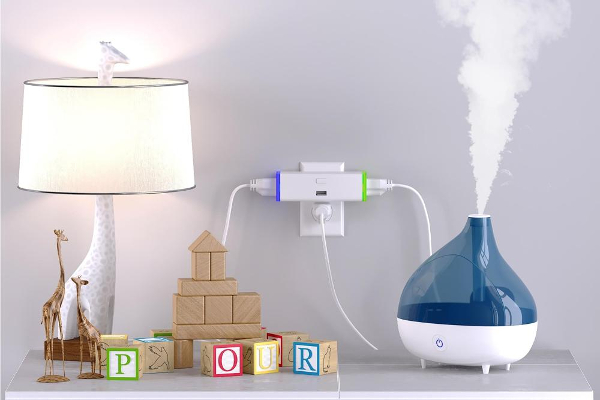
If you are in the search for a z-wave appliance plug, you may have noticed that most of them are big and clunky. They are hard to install in small places like behind furniture and typically only allow you to connect one plug. Zooz just introduced to the market not only a small form factor appliance plug but it also features a dual outlet module capable of outputting up to a combined 10 AMPS.
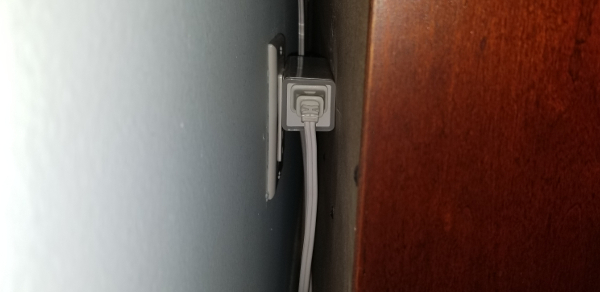
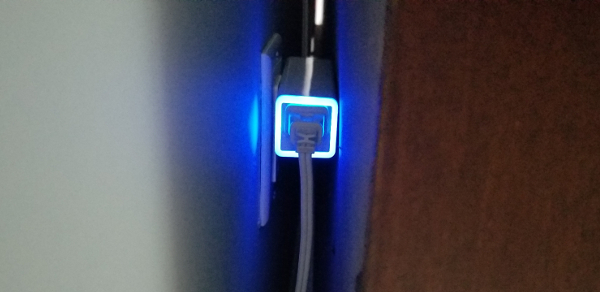
As a bonus, it also has a USB port capable of delivering 2.1 amps to power or charge your favorite devices. Note that the USB port is not controllable. To give you an idea of what 10 Amps are, we can use a 100 watt incandescent light bulb. At 120 volts, the typical current in the United States, a 100-watt light bulb draws 0.83 amps (100W/120V = .83 amps). In short, we would be able to power about 12 100Watt incandescent bulbs (9.999 amps) without any issue which is way more than any standard widget you may plug in there should use. If you do go over, the ZEN25 does have circuit protection that will disable both outlets.
Before we start we want to get out there that this appliance plug is not going to be good for fans and motors, Zooz recommends that you use ZEN15 for that. The appliance module is sold in a nice black box and packaged very well. Its packaging resembles that of opening a high-quality cellular telephone in some aspects. In the box, you will find the ZEN25 and the instruction manual. The manual is well written and easy to follow although it is almost not even necessary due to its ease of use. It does provide easy to read instructions for all its features.
The inclusion of the device to your z-wave network is among the easiest we have witnessed. Simply put your hub in inclusion mode and plug the double plug into the wall. The module will immediately begin to flash indicating it is in inclusion mode and go steady once it is connected.
We included our double switch with a Vera Controller and the process was seamless. The device showed up as four switches and instantly shows you the wattage of the device that is plugged into the module when that specific outlet is turned on. On your hub, you will see one switch for the left, one for the right, and another that provides simultaneous control over both outlets. The fourth just gives you status on the USB port but you are not able to turn it on or off.
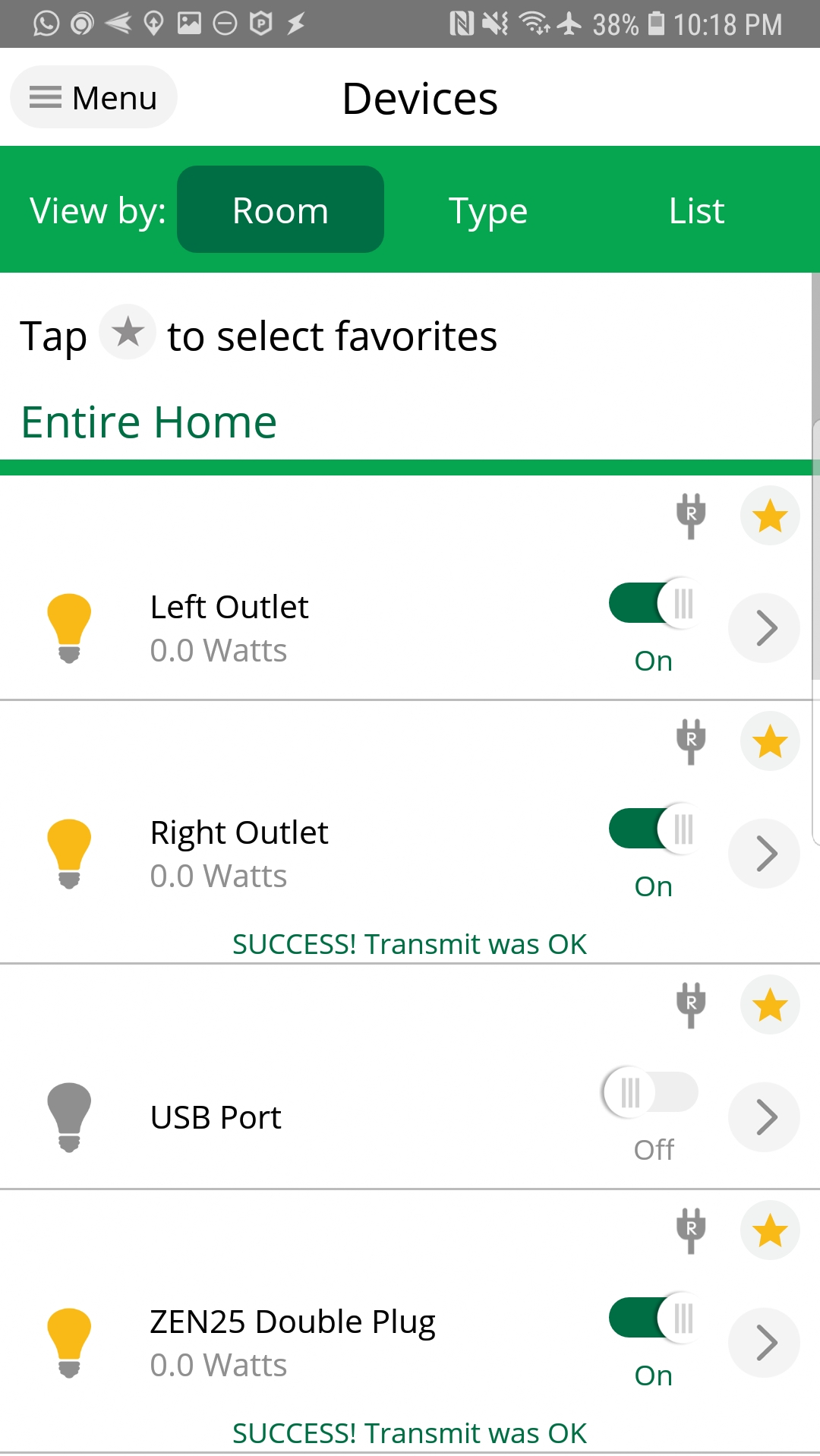
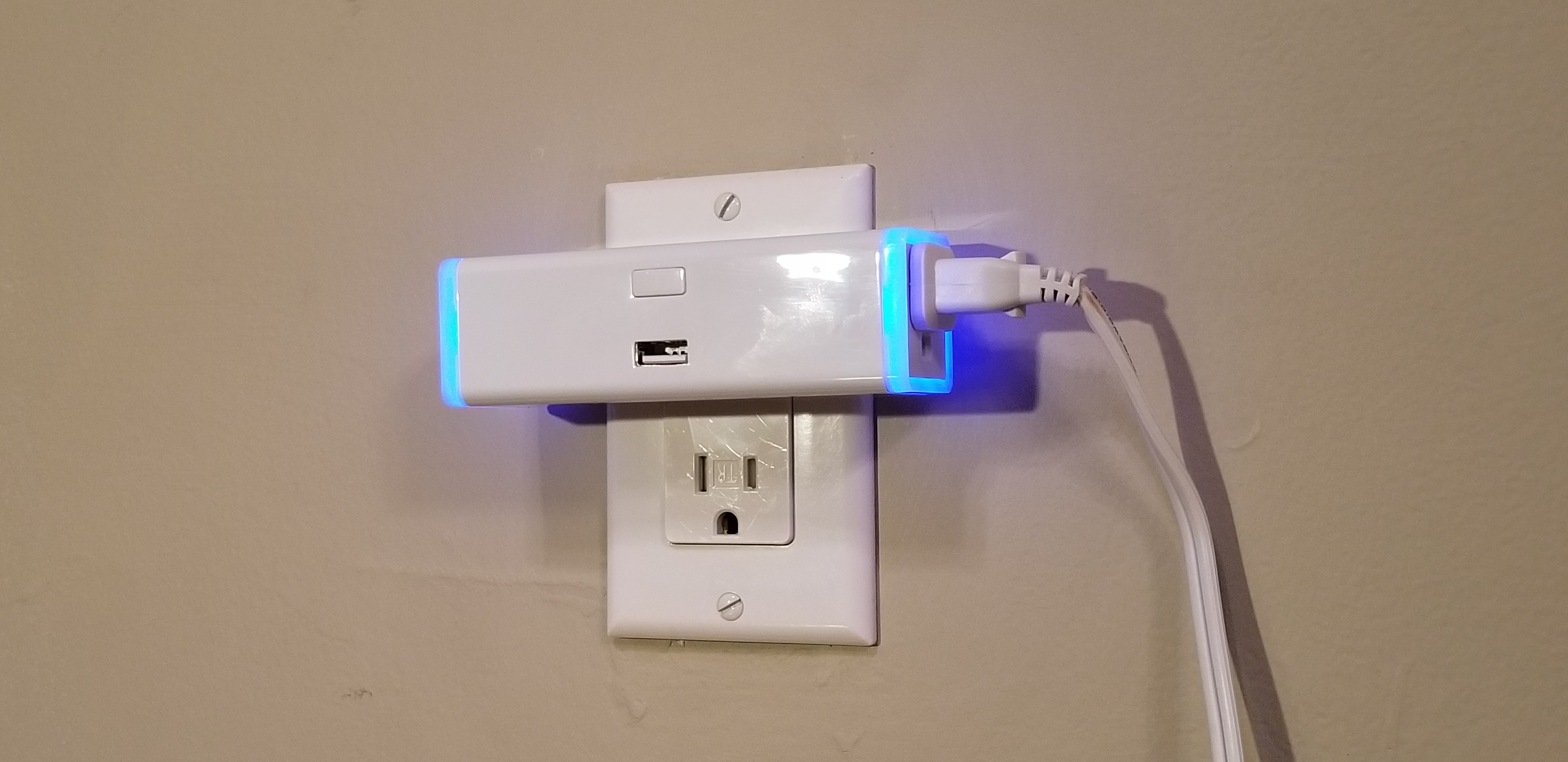
Manual control of the device is simple, there is only one button on the device. To control the on and off of the right switch you simply press the button once each time you want to toggle status. Press it quickly twice to control the left side.
Zooz really outdid themselves with this one. The device is quick to respond and also acts as a repeater using the latest z-wave plus technology. The rings around the outlets not only turn on when the outlets are on but they also indicate the wattage being used by the individual port. Each of the 7 colors indicating a different wattage range and the ring will be off when not in use.
Finally, the double plug even includes a range test tool, we really liked this because at times it is hard to determine what range you have for certain devices and it is really easy to move this device around to perform a test without any special equipment. While the manual states that you simply press the button for 6 - 8 seconds consecutively to enable the range test, we noticed that all it did was enable and disable both outlet plugs simultaneously. We did, however, play with it long enough to figure out that pressing the button 3 times consecutively would enable the range test. After flashing for a few seconds in violet, it will indicate the overall signal strength using different color patterns on the rings around the outlets.
For the power users, you can also change your switch parameters via your hub to disable the LED rings around the outlets, set up an auto-on timer, or set up an auto-off timer.
We really like the device and our favorite feature is that it is so small that it easily fits behind furniture. This device is perfect for kids rooms where you may want to control night lights and humidifiers or to control Christmas tree lights. Its features will make this a very versatile device capable of handling many scenarios. The device retails for $39.95 at The Smartest House. Click here to get your own now.
Take a look at our video review below.
As a bonus, it also has a USB port capable of delivering 2.1 amps to power or charge your favorite devices. Note that the USB port is not controllable. To give you an idea of what 10 Amps are, we can use a 100 watt incandescent light bulb. At 120 volts, the typical current in the United States, a 100-watt light bulb draws 0.83 amps (100W/120V = .83 amps). In short, we would be able to power about 12 100Watt incandescent bulbs (9.999 amps) without any issue which is way more than any standard widget you may plug in there should use. If you do go over, the ZEN25 does have circuit protection that will disable both outlets.
Before we start we want to get out there that this appliance plug is not going to be good for fans and motors, Zooz recommends that you use ZEN15 for that. The appliance module is sold in a nice black box and packaged very well. Its packaging resembles that of opening a high-quality cellular telephone in some aspects. In the box, you will find the ZEN25 and the instruction manual. The manual is well written and easy to follow although it is almost not even necessary due to its ease of use. It does provide easy to read instructions for all its features.
The inclusion of the device to your z-wave network is among the easiest we have witnessed. Simply put your hub in inclusion mode and plug the double plug into the wall. The module will immediately begin to flash indicating it is in inclusion mode and go steady once it is connected.
We included our double switch with a Vera Controller and the process was seamless. The device showed up as four switches and instantly shows you the wattage of the device that is plugged into the module when that specific outlet is turned on. On your hub, you will see one switch for the left, one for the right, and another that provides simultaneous control over both outlets. The fourth just gives you status on the USB port but you are not able to turn it on or off.
Manual control of the device is simple, there is only one button on the device. To control the on and off of the right switch you simply press the button once each time you want to toggle status. Press it quickly twice to control the left side.
Zooz really outdid themselves with this one. The device is quick to respond and also acts as a repeater using the latest z-wave plus technology. The rings around the outlets not only turn on when the outlets are on but they also indicate the wattage being used by the individual port. Each of the 7 colors indicating a different wattage range and the ring will be off when not in use.
Finally, the double plug even includes a range test tool, we really liked this because at times it is hard to determine what range you have for certain devices and it is really easy to move this device around to perform a test without any special equipment. While the manual states that you simply press the button for 6 - 8 seconds consecutively to enable the range test, we noticed that all it did was enable and disable both outlet plugs simultaneously. We did, however, play with it long enough to figure out that pressing the button 3 times consecutively would enable the range test. After flashing for a few seconds in violet, it will indicate the overall signal strength using different color patterns on the rings around the outlets.
For the power users, you can also change your switch parameters via your hub to disable the LED rings around the outlets, set up an auto-on timer, or set up an auto-off timer.
We really like the device and our favorite feature is that it is so small that it easily fits behind furniture. This device is perfect for kids rooms where you may want to control night lights and humidifiers or to control Christmas tree lights. Its features will make this a very versatile device capable of handling many scenarios. The device retails for $39.95 at The Smartest House. Click here to get your own now.
Take a look at our video review below.

Posted In: YouTube Video Review
Qubino Z-Wave Plus Flush RGBW Dimmer Review
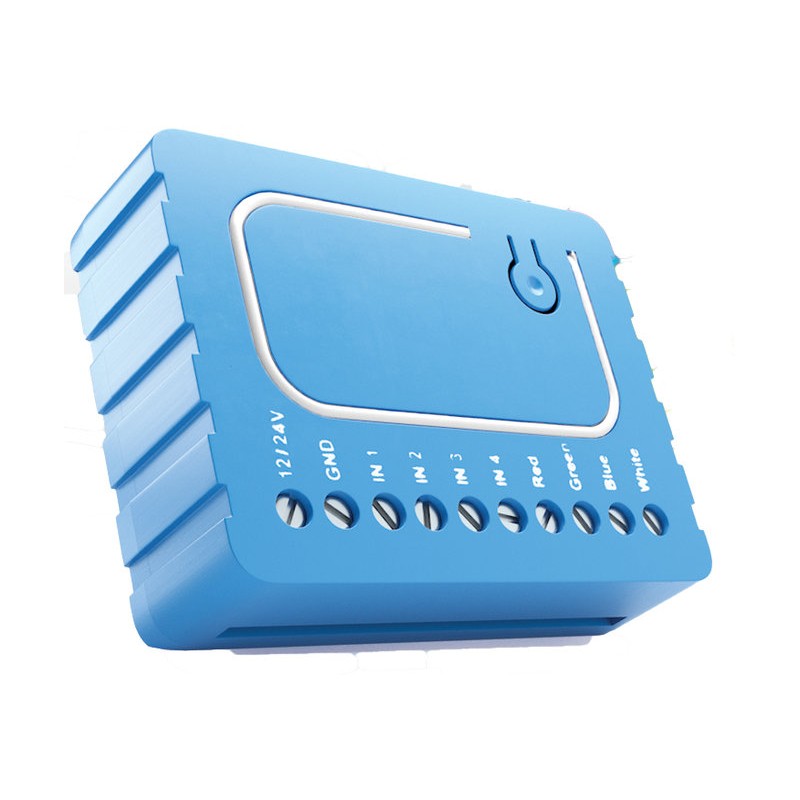
The Qubino Flush RGBW Dimmer is designed to control your RGB or RGBW LED strips in order to create countless color options. It includes 6 special lighting effects that can be used if your hub allows for enhanced parameters. The device works using z-wave technology and due to its small footprint can be installed virtually anywhere. A Z-Wave gateway hub will be required for your setup and is sold separately. If you haven't purchased a hub and you plan on using the Qubino flush RGBW make sure to read the hubs documentation as it is not supported by all hubs.
The switch is signal repeater, so it will improve your z wave mesh network. The Minimum and maximum dimming levels can be set via parameters. You can also customize the ramp rate, this allow you to change how quickly the lights turn on or off. Four push buttons allow for control of brightness, color, turning on or off lighting effects, and finally allow you to turn off the white output on its own. The dimmer switch saves and restores last status on power failure. Extra parameters allow you to put a timer in the event that you want to automatically turn the lights on or off after a set time. Note that this is just a timer and not a real time clock. If you would like to turn the device on our off at a specific time you can do so with a scene on your hub.
As of this review the Vera Hub does not support the device officially and the only plugin available is not very stable (Vera Firmware version tried: 1.7.3501 with the "RGB Controller" plugin Version:1.34). OpenHab also allows you to install the device however we were not able to operate it successfully even using the latest snapshot release (openHAB 2.3.0 Build #1189).
The installation of the device is extremely simple and can easily be done following the instructions on the Qubino page. Note this device will not work with 120 Volts AC but instead works with 12 or 24 Volts DC. You can control the flush RGBW either remotely through your Hubs graphical web interface, phone app, or through wall switches if wired directly to one.
Overall we were pleased with the product and the response with the smartthings hub. The device currently sells for $53.00. It is packaged in a tiny plastic shell that fits virtually anywhere. We weren't happy that it didn't work with Vera or OpenHab.
View the installation process and see it in action with a smart things hub in the full Video Review.
It is important to note that this device will only work with standard RGB strips and not addressable strips. In short this means that all your LED's will be one color at any given time. You will not be able to make the first five led's one color and the next five a different color.
Get your own Qubino Flush Relay at https://www.thesmartesthouse.com
Qubino RGBW Dimmer Info: http://qubino.com/products/flush-rgbw-dimmer/
RGBW Lights Used in review (Controller was not used): http://amzn.to/2sDNRbM
Smartthings Hub:http://amzn.to/2FcsbWI
Vera Hub: http://amzn.to/2CumDnH
The switch is signal repeater, so it will improve your z wave mesh network. The Minimum and maximum dimming levels can be set via parameters. You can also customize the ramp rate, this allow you to change how quickly the lights turn on or off. Four push buttons allow for control of brightness, color, turning on or off lighting effects, and finally allow you to turn off the white output on its own. The dimmer switch saves and restores last status on power failure. Extra parameters allow you to put a timer in the event that you want to automatically turn the lights on or off after a set time. Note that this is just a timer and not a real time clock. If you would like to turn the device on our off at a specific time you can do so with a scene on your hub.
As of this review the Vera Hub does not support the device officially and the only plugin available is not very stable (Vera Firmware version tried: 1.7.3501 with the "RGB Controller" plugin Version:1.34). OpenHab also allows you to install the device however we were not able to operate it successfully even using the latest snapshot release (openHAB 2.3.0 Build #1189).
The installation of the device is extremely simple and can easily be done following the instructions on the Qubino page. Note this device will not work with 120 Volts AC but instead works with 12 or 24 Volts DC. You can control the flush RGBW either remotely through your Hubs graphical web interface, phone app, or through wall switches if wired directly to one.
Overall we were pleased with the product and the response with the smartthings hub. The device currently sells for $53.00. It is packaged in a tiny plastic shell that fits virtually anywhere. We weren't happy that it didn't work with Vera or OpenHab.
View the installation process and see it in action with a smart things hub in the full Video Review.
It is important to note that this device will only work with standard RGB strips and not addressable strips. In short this means that all your LED's will be one color at any given time. You will not be able to make the first five led's one color and the next five a different color.
Get your own Qubino Flush Relay at https://www.thesmartesthouse.com
Qubino RGBW Dimmer Info: http://qubino.com/products/flush-rgbw-dimmer/
RGBW Lights Used in review (Controller was not used): http://amzn.to/2sDNRbM
Smartthings Hub:http://amzn.to/2FcsbWI
Vera Hub: http://amzn.to/2CumDnH

Posted In: YouTube Video Review
Z-Wave.ME UZB USB Z-Wave Plus Stick Review
Looking for an inexpensive way to get started in home automation? Take a look at the UZB Z-Wave USB Stick.
We gave the UZB stick a try and were pleased with it's performance. We installed it on a laptop and downloaded the openhab software that is available for free. The software can be downloaded from http://www.openhab.org. The UZB stick was found by the operating system immediately upon insertion. We are running Ubuntu Linux for our test so software drivers were not necessary. If you are running windows however you can find the link to the latest drivers on http://www.thesmartesthouse.com. We downloaded the openhab software and configured the UZB as indicated in the manual that was provided in the box. Once we configured the stick and restarted the software we were able to include 4 devices to test our UZB. We installed one GE relay switch, two Zooz Z-wave dimmers, and a Qubino Weather station. At first 3 of the devices were not recognized but it turned out to be the newer devices not having been implemented on the openhab stable release. Once we downloaded the snapshot build we were able to get the devices included. Communication to all 4 devices was a success.
We have tested the device thoroughly for about three weeks now and have not had any failures on communication. The closest device to the hub is about 15 feet away and the farthest is about 30 feet. The inherent nature of Z-wave uses each device as a mesh network to get the best route of communication back to the hub. Our hurdle throughout the test was actually getting to understand how the openhab software works and setting up the devices there. It is not a project for the faint at heart to understand and get openhab working. If you want something simpler, you may want to look into the other software titles mentioned below. Some of these titles offer different interfaces that may suit your need better. Our goal was to build a low cost system that would allow us to use and integrate as many devices into one hub as possible. The Openhab system is touted at being just that. While not the fault of the UZB device the openhab system has a steep learning curve but continues to improve and allow integration of more devices as it progresses to the future. The UZB device stood up to the test and functioned better than we expected.
Zwave.me states that the UZB firmware offers several extensions and enhancements over its competitors such as backup and recovery function including network topology, optimized transmitting queue handling to speed up transmitting process, firmware update from the OS level in the field, trusted platform module applying strong encryption, extended wakeup notification, and handling to extend battery life time of battery operated devices in the network. All these features and at a quarter of the price of competitors like the Aeon Labs Z Stick. The only feature we found missing was the self-contained inclusion that makes it simpler to include devices into your z-wave network. Other than that the UZB supports -Z-wave backup and restore that is a plus against the Aeon Labs unit.
One of the things we liked most about the UZB stick is that it is so versatile that you can run it on any hardware given the software is available. For instance you can build yourself the exact system we built on a laptop on an inexpensive raspberry Pi device that currently runs at about $35.00. The Raspberry Pi can be set up to be accessed via VNC so there is not even a need to have a designated monitor and keyboard for the device.
Here is the UZB attached to a Raspberry Pi mounted on the wall. The cover was 3D printed using a design by "0110-M-P" allowing for it to be wall mounted, you can find it here if interested.
While the UZB stick performed well and was easy to install, it was a bit challenging to use the open source software openhab2. The UZB uses the Sigma Serial API protocol just like the more expensive Aeon Labs Z-stick only at a fraction of the cost. The UZB by zwave.me proved to be a great little device at a great price.
Get your very own UZB Z-Wave Stick at The Smartest House.
Hardware compatibility with
-Wester Digital My Cloud NAS (Network Attached Storage)
-Raspberry Pi
-Windows / MAC / Linux
Software compatibility with
-Homeseer
-OpenHab
-OpenZWave
-Z-Way
-Indigo
-InControl
We gave the UZB stick a try and were pleased with it's performance. We installed it on a laptop and downloaded the openhab software that is available for free. The software can be downloaded from http://www.openhab.org. The UZB stick was found by the operating system immediately upon insertion. We are running Ubuntu Linux for our test so software drivers were not necessary. If you are running windows however you can find the link to the latest drivers on http://www.thesmartesthouse.com. We downloaded the openhab software and configured the UZB as indicated in the manual that was provided in the box. Once we configured the stick and restarted the software we were able to include 4 devices to test our UZB. We installed one GE relay switch, two Zooz Z-wave dimmers, and a Qubino Weather station. At first 3 of the devices were not recognized but it turned out to be the newer devices not having been implemented on the openhab stable release. Once we downloaded the snapshot build we were able to get the devices included. Communication to all 4 devices was a success.
We have tested the device thoroughly for about three weeks now and have not had any failures on communication. The closest device to the hub is about 15 feet away and the farthest is about 30 feet. The inherent nature of Z-wave uses each device as a mesh network to get the best route of communication back to the hub. Our hurdle throughout the test was actually getting to understand how the openhab software works and setting up the devices there. It is not a project for the faint at heart to understand and get openhab working. If you want something simpler, you may want to look into the other software titles mentioned below. Some of these titles offer different interfaces that may suit your need better. Our goal was to build a low cost system that would allow us to use and integrate as many devices into one hub as possible. The Openhab system is touted at being just that. While not the fault of the UZB device the openhab system has a steep learning curve but continues to improve and allow integration of more devices as it progresses to the future. The UZB device stood up to the test and functioned better than we expected.
Zwave.me states that the UZB firmware offers several extensions and enhancements over its competitors such as backup and recovery function including network topology, optimized transmitting queue handling to speed up transmitting process, firmware update from the OS level in the field, trusted platform module applying strong encryption, extended wakeup notification, and handling to extend battery life time of battery operated devices in the network. All these features and at a quarter of the price of competitors like the Aeon Labs Z Stick. The only feature we found missing was the self-contained inclusion that makes it simpler to include devices into your z-wave network. Other than that the UZB supports -Z-wave backup and restore that is a plus against the Aeon Labs unit.
One of the things we liked most about the UZB stick is that it is so versatile that you can run it on any hardware given the software is available. For instance you can build yourself the exact system we built on a laptop on an inexpensive raspberry Pi device that currently runs at about $35.00. The Raspberry Pi can be set up to be accessed via VNC so there is not even a need to have a designated monitor and keyboard for the device.
Here is the UZB attached to a Raspberry Pi mounted on the wall. The cover was 3D printed using a design by "0110-M-P" allowing for it to be wall mounted, you can find it here if interested.
While the UZB stick performed well and was easy to install, it was a bit challenging to use the open source software openhab2. The UZB uses the Sigma Serial API protocol just like the more expensive Aeon Labs Z-stick only at a fraction of the cost. The UZB by zwave.me proved to be a great little device at a great price.
Get your very own UZB Z-Wave Stick at The Smartest House.
Hardware compatibility with
-Wester Digital My Cloud NAS (Network Attached Storage)
-Raspberry Pi
-Windows / MAC / Linux
Software compatibility with
-Homeseer
-OpenHab
-OpenZWave
-Z-Way
-Indigo
-InControl

Posted In: Technology
keep up to date:

choose a category:
- Accessories and Decor
- Art
- Books
- DIY
- Editorials
- Furniture
- Garden and Patio
- Gifts for Men
- Gifts for Women
- Go Green
- Health
- Home Automation
- Kitchen and Baths
- Lighting
- Miscellaneous
- Parenting
- Pets
- Reviews
- Site News
- Software
- Sponsor Thanks
- Technology
- Tools
- Toys and Games
- Walls and Floors
- YouTube Video Review

stuff you might have missed


friends and links