OXO Corn Strippers Make Your Life Easy

OXO Corn Strippers Make Your Life Easy
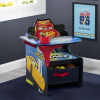
We've all wrestled with the kitchen knife while removing corn kernels. We are glad someone was smart enough to come up with the OXO Corn Strippers to put this annoying task to rest. You take the device to the cob push the stripper down the cob and the fall into the 1/2 cup container in the unit.

Thanks.


Portable USA PU-8W Digital Frame Review

Portable USA PU-8W Digital Frame Review
The PU-8W sold by Portable USA is an elegant wooden frame. The frame features speakers for music playback as well as a remote to guide you through the menus.

THE HARDWARE
The construction of the frame is solid (we feel better than the WB models) and the display is protected by a glass over a matted frame that hides the infrared sensor for the remote. The frame accepts SD/MMC/MS/CF cards.


THE SET UP
As far as simplicity the frame passed the test. When the unit arrived for review we plugged it in and inserted an SD card with some MP3 files and some jpg image files of our Service Villa annual picnic and instantly the pictures started to display. MP3's didn't start playing immediately, but according to the manual it is all based on the file name. The digital frame sorts your media in alphabetical order and plays it like that in auto mode. Although this feature is not a default feature, you can select an mp3 to play via the audio screen.

THE DISPLAY
The 8 inch display is really bright and clear.

The test images we used were all taken with a 12 megapixel Nikon D300, so they were high resolution to begin with. We enjoyed the quality of the pictures being represented as they appeared with little or no distortion. The colors were actually better than we had expected, with nice saturation and decent blacks. Unfortunately the audio playback failed to impress us as the quality of the speakers was not great.


These pictures don't do the frame justice as it was hard to capture a screen shot that would show the quality of the display when showing off the pictures. If you are interested in purchasing I would get a memory card ready with some of your favorite pictures and take it to BJ's Wholesale club, Ritz Camera or Circuit City. All three of these stores carry the Portable USA line of digital frames. Once you have decided which one you like, go to Amazon and purchase it there since it is much cheaper.

The frame can also play videos of the following formats MPEG1, MPEG2, and MPEG4 If you really wanted to you could probably watch a full length film as long as it fits in your memory card.

THE INTERFACE
Looking deeper into the frame's inner workings we found ourselves looking at a not-so-nice user control panel. The menu offers you all the necessary controls such as speed for slide show and transition type selection. You can choose transitions that range from: slide from the top towards the bottom, fade in and out, open like a door, or random, which is what we used to make use of all the transitions.


And the following are accessible via the remote only.


Here are the menu buttons on the unit.


They don't give you freedom from the remote. These buttons are strictly for volume and display setup such as brightness and contrast. If you want to go to the actual setup for your media you are forced to use the remote provided.


We tried putting the frame in portrait view but there is no option in the setup to do this. You can have all your pictures in either portrait or landscape but your menu will always be in landscape. This makes it a bit hard to see the menu.

The PU-8W has a list price of $199.00, but we have seen them on Amazon for about $129.99.

Specifications
Specifications
- Bright 8" diagonal TFT Active matrix LCD display
- 640 X 480 resolution
- Compatible with CF, SD, MMC, MS, XD
- No PC needed to enjoy pictures


In the Box
- Digital frame
- Stand
- AC power adapter
- Remote control
- User's manual

THE GOOD
- Nice bright display
- Speaker to listen to audio mp3 files
- Full function remote control (priceless)
- Somewhat easy to use (if you use the remote)
- Good price in comparison to similar models

THE BAD
- Can't get to menus if you loose the remote. Only display settings can be changed with on board menu.
- Sound from speakers is not so great.
- No ability to make menu display in portrait mode.

WHERE TO BUY
Amazon


Portable USA PU-15WB Wireless Digital Frame Review

Portable USA PU-15WB Wireless Digital Frame Review
IMPORTANT NOTE: The Portable USA PU-15WB digital frame is almost identical to the Portable USA PU-10WB digital frame. The only differences between the two frames are the screen size (PU-15WB has a 15.0 inch screen size and the PU-10WB has a 10.4 inch screen size), screen resolution resolution (PU-15WB has a screen resolution of 1024x768 and the PU-10WB has a screen resolution of 640x480) and the on-board controls. Aside from the increased resolution, both frames performed the same way and functioned the same way. As such you will find that both reviews are almost identical in nature, with the only changes being references to screen size, product name and specifications.

The PU-15WB sold by Portable USA is an elegant wooden frame. The frame is wireless via bluetooth technology and features speakers for music playback as well as a remote to guide you through the menus. A bluetooth adapter is not included in the box, but can be shipped to you free after filling out a postcard and submitting it to Portable USA.

THE HARDWARE
The construction of the frame is good. Its display is protected by a glass over a matted frame that hides the infrared sensor for the remote. The frame accepts SD/MMC/MS/CF cards as well as USB memory sticks, and the bluetooth adapter that uses the USB port. It can also be plugged in to any PC or Mac to have images transferred over to its 256 MB of on-board memory. The bluetooth is useful for transferring pictures from your phone and makes it fairly easily. All in all it is pretty solid in the media format acceptance category.


THE SET UP
As far as simplicity the frame passed the test. When the unit arrived for review we plugged it in and inserted an SD card with some mp3 files and some jpg image files of our Service Villa annual picnic and instantly the pictures started to display. A couple of seconds after the images started, the mp3s begun playing in the background. The whole process took no more than 30 seconds.


THE DISPLAY
The 15.0 inch display is really bright and clear.

The test images we used were all taken with a 12 megapixel Nikon D300, so they were high resolution to begin with. We enjoyed the quality of the pictures being represented as they appeared with little or no distortion. The colors were actually better than we had expected, with nice saturation and decent blacks. Unfortunately the audio playback failed to impress us as the quality of the speakers was not great.


These pictures don't do the frame justice as it was hard to capture a screen shot that would show the quality of the display when showing off the pictures. If you are interested in purchasing I would get a memory card ready with some of your favorite pictures and take it to BJ's Wholesale club, Ritz Camera or Circuit City. All three of these stores carry the Portable USA line of digital frames. Once you have decided which one you like, go to Amazon and purchase it there since it is much cheaper.

The frame can also play videos of the following formats MPEG1, MPEG2, MPEG4, AVI, and DivX. If you really wanted to you could probably watch a full length film as long as it fits in your memory card.

THE INTERFACE
Looking deeper into the frame's inner workings we found ourselves looking at a not-so-nice user control panel.


The user interface lacks the crisp-looking graphics you should expect from a fancy digital frame. and it was somewhat difficult to navigate through the menu using the buttons on the frame itself. The full function remote however takes care of this problem. You can actually do more things with the remote than you can with the on-board buttons. The only thing we found the on-board buttons useful for was raising and lowering the audio volume on the frame.


The menu offers you all the necessary controls such as language (Chinese, English, Dutch, French, and Spanish), speed for slide show and transition type selection. You can choose transitions that range from: slide from the top towards the bottom, fade in and out, open like a door, or random, which is what we used to make use of all the transitions. Your clock could be set from the control panel along with a one time use alarm to remind you of something or wake you up in the morning. We didn't find the alarm useful because it has to be set every day since it is linked with the date on the frame.

We tried putting the frame in portrait view but there is no option in the setup to do this. You can have all your pictures in either portrait or landscape but your menu will always be in landscape. This makes it a bit hard to see the calendar, alarm clock, mp3 audio player etc...

The PU-15WB has a list price of $399.00, but we have seen them on Amazon for about $199.99.

SPECIFICATIONS
- Bright 15" diagonal TFT Active matrix LCD display
- 1024x768 resolution displaying up to 12MP images
- Compatible with CF, SD, MMC, MS, XD and USB media cards
- No PC needed to enjoy pictures
- 256MB on board memory
- Bluetooth wireless transfer compatible with cellphones, PC and MAC OS (requires separate adapter)
- Direct connection to computer with included USB cable.
- Ships with rich cherry and true-black frames, suitable for every decor.
- 12 month FULL warranty, parts and labor

IN THE BOX
- Digital frame with cherry wooden surround
- Alternate black wooden surround
- Remote control
- AC power adapter
- USB cable
- Locking Stand
- User's manual
- Card to submit to Portable USA to get your bluetooth dongle

THE GOOD
- Nice bright display
- Speaker to listen to audio mp3 files
- Full function remote control (priceless)
- Somewhat easy to use (if you use the remote)
- Good price in comparison to similar models
- Bluetooth compatibility is great.

THE BAD
- Alarm clock not very useful to have to set it daily
- Cheap looking setup / menu interface
- Good luck figuring out how to use the menus if you loose the remote.
- Sound from speakers is not so great.
- No ability to make menu display in portrait mode.

WHERE TO BUY
Amazon

MANUFACTURER
Portable USA


iHome IH9 Review - iPod Enabled Dual Alarm Clock With Remote

iHome IH9 Review - iPod Enabled Dual Alarm Clock With Remote
If you are on the market for an iPod enabled alarm clock make sure you take a look at the iHome IH9.

After looking at other alarm clocks like the Emerson iTone iC200 SmartSet Alarm Clock Radio for iPod this one beats them all hands down. Sure it costs a little more, but up to now we haven't found anyone offering a product of this caliber at this price. The iHome iH9 features two alarm clocks that can be set independently and can be configured to "alarm" you either every day of the week, Monday through Fiday, or just on the weekends. Waking up to your favorite playlist is great and being able to shut up the alarm clock without getting out of bed using the remote control is priceless, but can also have a downfall: We think that one day you might shut off the alarm in your sleep without noticing and sleep right through your morning meeting.

The iHome IH9 allows you to wake up to your favorite tunes on your iPod, AM/FM station, or an old school buzzer. When it is time for the alarm to activate, it gradually increases the volume and wakes you up without a jolt. A feature that is my personal favorite is the full-function remote control. The remote allows you to control your iPod's menu as well as almost all aspects of the iHome IH9 alarm clock. The sound quality is also excellent for the price.

The display is bright blue on black and has several levels of dimming so you can set it to your favorite brightness. The iHome IH9 also features a backup battery, that allows your clock to function while the power is out (the radio/alarm features will be disabled during a power outage even with the back up battery). It is also a shame that you can't power this device completely by battery since it would have been great to take this little guy with us to the beach.

All in all the iHome IH9 is great unit and we would easily recommend it. The villa gives it two thumbs up based on its price and quality.


Features
- Wake to your iPod playlist, AM/FM radio, or buzzer
- Fall asleep to your iPod or AM/FM radio using the adjustable sleep timer
- Bass, treble, 3D, and balance controls
- High-fidelity stereo drivers in specially designed Reson8 speaker chambers
- Play and charge your iPod
- Auxiliary port for connecting other audio devices such as CD players
- Six watts total output
- High-fidelity stereo drivers in specially designed Reson8 speaker chambers
- Full-function remote control that interfaces with iPod and radio
- Universal dock with inserts to fit docking iPod models
- Gradual wake or sleep gently increases or decreases alarm/sleep volume
- Extra-large, backlit custom LCD display with dimmer
- DST switch for quick daylight savings time adjustment

Specifications
- AC power, 10V, 1.4A
- Dimensions (WxHxD): 9.05 x 4.25 x 3.54 in./23.0 x 10.8 x 9.0 cm

In the Box
- iHome IH9
- Docking inserts
- Remote control
- AC power adapter
- Two AA batteries (for power backup)
- User's manual

THE GOOD
- Alarm volume gradually goes up (no jolt)
- Full-function remote control (priceless)
- Full control of your iPod
- Great sound quality
- Nice display
- Easy to use

THE BAD
- A little bigger than a typical AM/FM alarm clock
- Price is a bit higher than we would like to pay for this kind of device
- You might mistakingly turn off your alarm while you are asleep using remote (read review for what we mean)

WHERE TO BUY
Amazon

MANUFACTURER
iHome Audio

Posted In: Reviews, Technology

Portable USA PU-12WB Wireless Digital Frame Review

Portable USA PU-12WB Wireless Digital Frame Review
IMPORTANT NOTE: The Portable USA PU-12WB digital frame is almost identical to the Portable USA PU-10WB digital frame. The only difference between the two frames are the screen size (PU-12WB has a 12.1 inch screen size and the PU-10WB has a 10.4 inch screen size) and screen resolution resolution (PU-12WB has a screen resolution of 800x600 and the PU-10WB has a screen resolution of 640x480). Aside from the increased resolution both frames performed the same way and functioned the same way. As such you will find that both reviews are almost identical in nature, with the only changes being references to screen size, product name and specifications.

The PU-12WB sold by Portable USA is an elegant wooden frame. The frame is wireless via bluetooth technology and features speakers for music playback as well as a remote to guide you through the menus. A bluetooth adapter is not included in the box, but can be shipped to you free after filling out a postcard and submitting it to Portable USA.

THE HARDWARE
The construction of the frame is good. Its display is protected by a glass over a matted frame that hides the infrared sensor for the remote. The frame accepts SD/MMC/MS/CF cards as well as USB memory sticks, and the bluetooth adapter that uses the USB port. It can also be plugged in to any PC or Mac to have images transferred over to its 256 MB of on-board memory. The bluetooth is useful for transferring pictures from your phone and makes it fairly easily. All in all it is pretty solid in the media format acceptance category.


THE SET UP
As far as simplicity the frame passed the test. When the unit arrived for review we plugged it in and inserted an SD card with some mp3 files and some jpg image files of our Service Villa annual picnic and instantly the pictures started to display. A couple of seconds after the images started, the mp3s begun playing in the background. The whole process took no more than 30 seconds.


THE DISPLAY
The 12.1 inch display is really bright and clear.

The test images we used were all taken with a 12 megapixel Nikon D300, so they were high resolution to begin with. We enjoyed the quality of the pictures being represented as they appeared with little or no distortion. The colors were actually better than we had expected, with nice saturation and decent blacks. Unfortunately the audio playback failed to impress us as the quality of the speakers was not great.


These pictures don't do the frame justice as it was hard to capture a screen shot that would show the quality of the display when showing off the pictures. If you are interested in purchasing I would get a memory card ready with some of your favorite pictures and take it to BJ's Wholesale club, Ritz Camera or Circuit City. All three of these stores carry the Portable USA line of digital frames. Once you have decided which one you like, go to Amazon and purchase it there since it is much cheaper.

The frame can also play videos of the following formats MPEG1, MPEG2, MPEG4, AVI, and DivX. If you really wanted to you could probably watch a full length film as long as it fits in your memory card.

THE INTERFACE
Looking deeper into the frame's inner workings we found ourselves looking at a not-so-nice user control panel.


The user interface lacks the crisp-looking graphics you should expect from a fancy digital frame. and it was somewhat difficult to navigate through the menu using the buttons on the frame itself. The full function remote however takes care of this problem. You can actually do more things with the remote than you can with the on-board buttons. The only thing we found the on-board buttons useful for was raising and lowering the audio volume on the frame.


The menu offers you all the necessary controls such as language (Chinese, English, Dutch, French, and Spanish), speed for slide show and transition type selection. You can choose transitions that range from: slide from the top towards the bottom, fade in and out, open like a door, or random, which is what we used to make use of all the transitions. Your clock could be set from the control panel along with a one time use alarm to remind you of something or wake you up in the morning. We didn't find the alarm useful because it has to be set every day since it is linked with the date on the frame.

We tried putting the frame in portrait view but there is no option in the setup to do this. You can have all your pictures in either portrait or landscape but your menu will always be in landscape. This makes it a bit hard to see the calendar, alarm clock, mp3 audio player etc...

The PU-12WB has a list price of $299.00, but we have seen them on Amazon for about $169.99.

SPECIFICATIONS
- Bright 12.1" diagonal TFT Active matrix LCD display
- 800x600 resolution displaying up to 12MP images
- Compatible with CF, SD, MMC, MS, XD and USB media cards
- No PC needed to enjoy pictures
- 256MB on board memory
- Bluetooth wireless transfer compatible with cellphones, PC and MAC OS (requires separate adapter)
- Direct connection to computer with included USB cable.
- Ships with rich cherry and true-black frames, suitable for every decor.
- 12 month FULL warranty, parts and labor

IN THE BOX
- Digital frame with cherry wooden surround
- Alternate black wooden surround
- Remote control
- AC power adapter
- USB cable
- Locking Stand
- User's manual
- Card to submit to Portable USA to get your bluetooth dongle

THE GOOD
- Nice bright display
- Speaker to listen to audio mp3 files
- Full function remote control (priceless)
- Somewhat easy to use (if you use the remote)
- Good price in comparison to similar models
- Bluetooth compatibility is great.

THE BAD
- Alarm clock not very useful to have to set it daily
- Cheap looking setup / menu interface
- Good luck figuring out how to use the menus if you loose the remote.
- Sound from speakers is not so great.
- No ability to make menu display in portrait mode.

WHERE TO BUY
Amazon

MANUFACTURER
Portable USA


Portable USA PU-10WB Wireless Digital Frame Review

Portable USA PU-10WB Wireless Digital Frame Review
The PU-10WB sold by Portable USA is an elegant wooden frame. The frame is wireless via bluetooth technology and features speakers for music playback as well as a remote to guide you through the menus. A bluetooth adapter is not included in the box, but can be shipped to you free after filling out a postcard and submitting it to Portable USA.

THE HARDWARE
The construction of the frame is good. Its display is protected by a glass over a matted frame that hides the infrared sensor for the remote. The frame accepts SD/MMC/MS/CF cards as well as USB memory sticks, and the bluetooth adapter that uses the USB port. It can also be plugged in to any PC or Mac to have images transferred over to its 256 MB of on-board memory. The bluetooth is useful for transferring pictures from your phone and makes it fairly easily. All in all it is pretty solid in the media format acceptance category.


THE SET UP
As far as simplicity the frame passed the test. When the unit arrived for review we plugged it in and inserted an SD card with some mp3 files and some jpg image files of our Service Villa annual picnic and instantly the pictures started to display. A couple of seconds after the images started, the mp3s begun playing in the background. The whole process took no more than 30 seconds.


THE DISPLAY
The 10.4 inch display is really bright and clear.

The test images we used were all taken with a 12 megapixel Nikon D300, so they were high resolution to begin with. We enjoyed the quality of the pictures being represented as they appeared with little or no distortion. The colors were actually better than we had expected, with nice saturation and decent blacks. Unfortunately the audio playback failed to impress us as the quality of the speakers was not great.


These pictures don't do the frame justice as it was hard to capture a screen shot that would show the quality of the display when showing off the pictures. If you are interested in purchasing I would get a memory card ready with some of your favorite pictures and take it to BJ's Wholesale club, Ritz Camera or Circuit City. All three of these stores carry the Portable USA line of digital frames. Once you have decided which one you like, go to Amazon and purchase it there since it is much cheaper.

The frame can also play videos of the following formats MPEG1, MPEG2, MPEG4, AVI, and DivX. If you really wanted to you could probably watch a full length film as long as it fits in your memory card.

THE INTERFACE
Looking deeper into the frame's inner workings we found ourselves looking at a not-so-nice user control panel.


The user interface lacks the crisp-looking graphics you should expect from a fancy digital frame. and it was somewhat difficult to navigate through the menu using the buttons on the frame itself. The full function remote however takes care of this problem. You can actually do more things with the remote than you can with the on-board buttons. The only thing we found the on-board buttons useful for was raising and lowering the audio volume on the frame.


The menu offers you all the necessary controls such as language (Chinese, English, Dutch, French, and Spanish), speed for slide show and transition type selection. You can choose transitions that range from: slide from the top towards the bottom, fade in and out, open like a door, or random, which is what we used to make use of all the transitions. Your clock could be set from the control panel along with a one time use alarm to remind you of something or wake you up in the morning. We didn't find the alarm useful because it has to be set every day since it is linked with the date on the frame.

We tried putting the frame in portrait view but there is no option in the setup to do this. You can have all your pictures in either portrait or landscape but your menu will always be in landscape. This makes it a bit hard to see the calendar, alarm clock, mp3 audio player etc...

The PU-10WB has a list price of $249.00, but we have seen them on Amazon for about $149.99.

SPECIFICATIONS
- Bright 10.4" diagonal TFT Active matrix LCD display
- 640x480 resolution displaying up to 12MP images
- Compatible with CF, SD, MMC, MS, SM, XD and USB media cards
- No PC needed to enjoy pictures
- 256MB on board memory
- Bluetooth wireless transfer compatible with cellphones, PC and MAC OS
- Direct connection to computer with included USB cable.
- Ships with rich cherry and true-black frames for every decor.

IN THE BOX
- Digital frame with cherry wooden surround
- Alternate black wooden surround
- Remote control
- AC power adapter
- USB cable
- Locking stand
- User's manual
- Card to submit to Portable USA to get your bluetooth dongle

THE GOOD
- Nice bright display
- Speaker to listen to audio mp3 files
- Full function remote control (priceless)
- Somewhat easy to use (if you use the remote)
- Good price in comparison to similar models
- Bluetooth compatibility is great.

THE BAD
- Alarm clock not very useful to have to set it daily
- Cheap looking setup / menu interface
- Good luck figuring out how to use the menus if you loose the remote.
- Sound from speakers is not so great.
- No ability to make menu display in portrait mode.

WHERE TO BUY
Amazon

MANUFACTURER
Portable USA


VUDU The Future of Movie Watching? Almost. Our VUDU Review.

VUDU The Future of Movie Watching? Almost. Our VUDU Review.
Streaming digital entertainment is the future of movie watching at home — that much has been established. There have been a lot of companies hoping to capitalize on this, including: Microsoft, Apple, Amazon, Netflix and so on. VUDU is another company hoping for a piece of the pie and like Apple and Microsoft (and now Netflix), they are one of the only companies with a direct link to where movie watching happens: Your television.


WHAT IS VUDU?
The VUDU Box is a set top box that you connect to your TV that let's you stream both standard definition and high definition content via the internet. The machine has an extensive array of video connectivity options including: HDMI v1.1, Component, S-Video and Composite. Audio connectivity options include: HDMI v 1.1, Digital Optical, Digital Coax, and RCA. You can connect the device as-is to the internet using an Ethernet connection. The device comes with an HDMI cable, VUDU Remote, an Ethernet Cable, Composite Video with Analog Stereo Audio Cable, and 2 AA Batteries. All of this for the price of $295.


The VUDU has a lot of connectivity options — except WiFi

Right away you might notice one big problem with the standard VUDU Box — the lack of WiFi right out of the box. We were surprised that such a forward-thinking company like VUDU would opt not to include such a basic functionality of a internet connected device in this day in age.


THE SET UP AND THE INTERFACE
After following four simple set up screens and connecting the cables, the device basically set itself up by choosing the correct network settings and video resolution. We were impressed at the ease of set up, however immediately after that, we were forced to download a firmware upgrade that took about 10 minutes to download and install and then we had to run a catalog upgrade that took nearly as long. So, though the device was easy to get up and running, the upgrades made plug-and-play more like plug-and-wait. In all, after downloading and upgrading the device, it took well over 30 minutes to get up and going. Though we understand forcing the upgrade to keep everyone at the same level, it would have been preferred if the device would do this overnight instead of during the initial set up.


The VUDU interface is amongst the best in this market

Once we got past that initial wait, we were presented with the VUDU interface. And what a beauty it is. The interface is colorful and modern with large copy that was easy to read in both standard and high definition televisions. You can browse the catalog in many different ways including: most watched, new on VUDU, by genre, and in HD. You are also presented with a slew of options to search for any catalog in the VUDU library (as of this review 6,000+ movies). VUDU also allows to watch a small preview of a movie, which is typically a trailer, for certain movies in their catalog. We must admit that it was fun browsing through the movie catalog, scrolling through for sometimes, I kid you not, thirty minutes. Once you are ready to either rent or buy a movie, you press WATCH NOW, pay for the movie, and off you go.


Exploring the VUDU catalog is actually fun


MOVIE/SOUND QUALITY
We tested movies in both standard definition televisions and high-definition televisions. Standard televisions had no issues playing back SD and HD content as the VUDU down-converted the HD movies to display on standard televisions. Likewise, high definition televisions performed well as the VUDU and the television upconverted the standard definition content and played back high definition content perfectly. That leads us to actual display quality.

VUDU standard definition movies looked sharper and more saturated than their DVD counterparts, though like the DVD movies being upconverted, the streaming VUDU movies showed significant artifacts in both dark and light scenes. Though it is hard to judge sound quality, we did not notice any difference in sound quality between VUDU and DVD movies.

VUDU high definition content was obviously better than the standard definition content showcasing a more colorful display, a sharper image, better contrast, and richer textures. When comparing VUDU high definition content to Blu-ray, the VUDU is not able to outperform the competing media. The VUDU high definition content was more in line with broadcast quality HD than with a physical media like Blu-ray. The sound quality edge goes to Blu-ray as some of their titles support Dolby TrueHD and DTS-HD Master Audio while VUDU audio support is limited to Dolby Digital Plus at the highest end.

Of course movie quality also varies from title to title with newer titles like "Fools' Gold" looking better than older titles like "Carlito's Way." "Ladron Que Roba Ladron" in HD looked miles better than "Abandon" did in HD as another example.

For the hearing impaired there is currently no subtitle support, but VUDU made it clear to us that they are working on that feature and it should be made available via a software upgrade in the near future.


THE PERFORMANCE
If you are watching a standard definition movie on a regular high-speed connection (DSL for example), those movies will start instantaneously. High definition movies on the other hand, will take some time to stream depending on your connection. During our tests, high definition movies became available typically after 1.5 hours of downloading. We were surprised that the VUDU service was 100% reliable in our tests. Day or night the standard definition movies streamed immediately and did not stop once during play back to catch up.


THE REMOTE
We wanted to briefly mention the VUDU Box remote control. The VUDU Box uses RF (radio frequency) instead of IR (infrared), meaning you can be 20+ feet away, behind a wall, and the remote still controls your VUDU Box. This is extremely useful and we are thankful for the mobility. The remote is ergonomic, molding to your hand while giving you easy access to the scrolling wheel (similar to that of a mouse) and the play and pause button. Navigating the screens was easy enough and we had no issues finding the very few buttons on the remote.

What we did have an issue with was the way the VUDU Box handled scrubbing on the movie time line. Scrolling the wheel upwards fast forwards the movie while downwards rewinds. Sounds simple? It isn't. Sometimes we were wrestling with the scrubber trying to get the movie to the place on the time line we wanted, making it frustrating to navigate.


THE COST
The biggest issue we have with the VUDU is the price. $295 is a big pill to swallow for a set top device that just plays movies you then have to purchase or rent. Like current Blu-ray players, the cost of admission is too high. We hope for VUDU's sake that the price of the unit can come down to the low one hundreds soon, specially since the device lacks WiFi.


VUDU gives you the choice to buy or rent in some movies

We felt that movie rentals are fair. $2.99 allows you to rent most old catalog releases and $3.99 are the typical prices for new releases. There are some movies available at $0.99, but those are hard to find. High-Definition movies will cost $3.99 to $5.99 per rental. The price of BUYING a movie also varies from $9.99 to $19.99, though we found a few HD movies with prices of $24.99.

Television shows cost $1.99 per episode to own and there was no option to rent. The third season of Prison Break ran us $25.87 for 13 episodes. We hope VUDU offers people the option to rent a TV show at a discount in the near future.

One HUGE disappointment with the VUDU (and all similar devices) is that movie rentals are valid for only 24 hours after you press WATCH NOW. We found ourselves time and time again not being able to finish a movie in domestic settings. VUDU offers extended play at a discount to help ease the pain, but not all titles support this feature and quite frankly, we prefer if they offered 48 or 72 view periods as standard. Since this is digital media, there is no excuse for 24 hour viewing periods.


THE VERDICT
The VUDU Box is a great device. We enjoyed putting the device through the paces. There is a great wealth of titles available, the video quality, particularly standard-definition, is outstanding, and the movie rental prices are fair. Unfortunately, the cost of admission is a big problem and the lack of WiFi right out of the box is baffling. We would like to see the 24 hour viewing restriction gone as well.

If you have the cash to spring for a VUDU Box and you have no problems with the device's issues, you will not go wrong with the comfort this device will afford you.


THE GOOD
Prices of movie rentals are fair
Sweet interface
Easy set up
Every output option imaginable
Great standard-def picture quality
Very stable box
Large hard drive
Great network performance


THE BAD
24 hour viewing period per title
No WiFi included (adapter can be purchased seperately)
Fast forwarding/rewinding needs work
Price of the VUDU Box is too high
Not all movies are available for rent
No subtitles
HD quality not up to snuff (Blu-ray has this by a mile)

WHERE TO BUY
Amazon

MANUFACTURER
VUDU, Inc

Posted In: Reviews, Technology

Nikon to unveil the D700 D-SLR Full Frame Camera

Nikon to unveil the D700 D-SLR Full Frame Camera
Nikon will introduce the D700 at the end of July 2008. The Nikon D700 D-SLR falls between the D300 and the D3 Bodies. It is a semi-professional body that incorporates Nikon's EXPEED Image Processing System. The D700 digital single lens reflex camera features a 12.1-effective megapixel Nikon FX-format CMOS image sensor which allows for excellent image quality. It has a remarkable native ISO range of 200 to 6400.

The FX sensor measures 23.9 x 36mm, which is nearly identical to the size of 35mm film or as some may call it full frame. The camera takes advantage of Nikon's renowned 51-point auto focus system with 3D Focus Tracking. It also has two Live View shooting modes and a fancy three-inch high-resolution LCD monitor. The camera seems like its going to be a competitor but the D3 is still a superior camera. The D700 will give it a run since it is significantly cheaper. Between the D300 and the D700 the main difference is the larger FX sensor which gives you images that look like they come from the D3. The only problem is that it will be approximately $1,200 extra dollars.

If you are interested in purchasing one we recomend Adorama our favorite place to get camera equipment. They offer great prices ship quickly and have been around for quite some time. Another place that comes highly recommended is B&H Photo. They too have competitive prices and are well known among photographers of all kind.

Posted In: Technology

Art Style? Alberto Cerriteño Delivers Art Style.

Art Style? Alberto Cerriteño Delivers Art Style.
Alberto Cerriteño has a unique illustrating art style. When we first found his site we browsed for a long time taking in all the sweet prints and his previous work. One of our favorite illustrations done by the Portland resident is the "Their World, Our Children" print, which you can buy at his online store. The art work is printed on fine art watercolor paper and is a nice size to boot: 13" x 19". The art was featured on 60 Unite for Children, a book where 60 designers and artists got to let loose and create some breathtaking art in support for the 60 Unite for Children project.


Kiki Fat Vase from Perch! Design

Kiki Fat Vase from Perch! Design
We featured another product from Perch! Design a few weeks back, the Chic Bodo Pendant Light, and we liked Amy Adam's stuff so much that we felt we should throw more love her way. This time the subject is Kiki, a large (9.5 inches tall) fat ceramic vase, that you can purchase in either gray or yellow.


search urban lime:

UrbanLime.com on Facebook

our sponsors

Color Code Studio
Reckless Erica
Goodlifer
Pikaland

become a sponsor
for only $5 a week


Blog   |   Archive   |   Reviews   |   About   |   Sponsor Us   |   Contact